Install Terraform on macOS
By Vladimir Mikhalev · Solutions Architect · Docker Captain · IBM Champion
This article is for those looking for a detailed and straightforward guide on installing Terraform on macOS.
Terraform is HashiCorp’s infrastructure as a code tool. It lets you define resources and infrastructure in human-readable, declarative configuration files, and manages your infrastructure’s lifecycle. Using Terraform has several advantages over manually managing your infrastructure.
TIPArchitecture Context
Local Terraform CLI is the standard for infrastructure-as-code development and testing. Terraform Cloud or Spacelift provide managed alternatives with remote state, policy enforcement, and team collaboration built in. Local CLI is sufficient for individual workflows, but teams should evaluate remote backends early to avoid state management complexity as infrastructure grows.
IMPORTANTIn this guide, we will consider the case when you already have the Homebrew package manager installed.
To install Homebrew, you can use the command:
/bin/bash -c "$(curl -fsSL https://raw.githubusercontent.com/Homebrew/install/HEAD/install.sh)"NOTEThis guide walks you through connecting to a server with the iTerm2 terminal emulator on macOS.
We connect the repository with formulas for Homebrew using the command:
brew tap hashicorp/tap

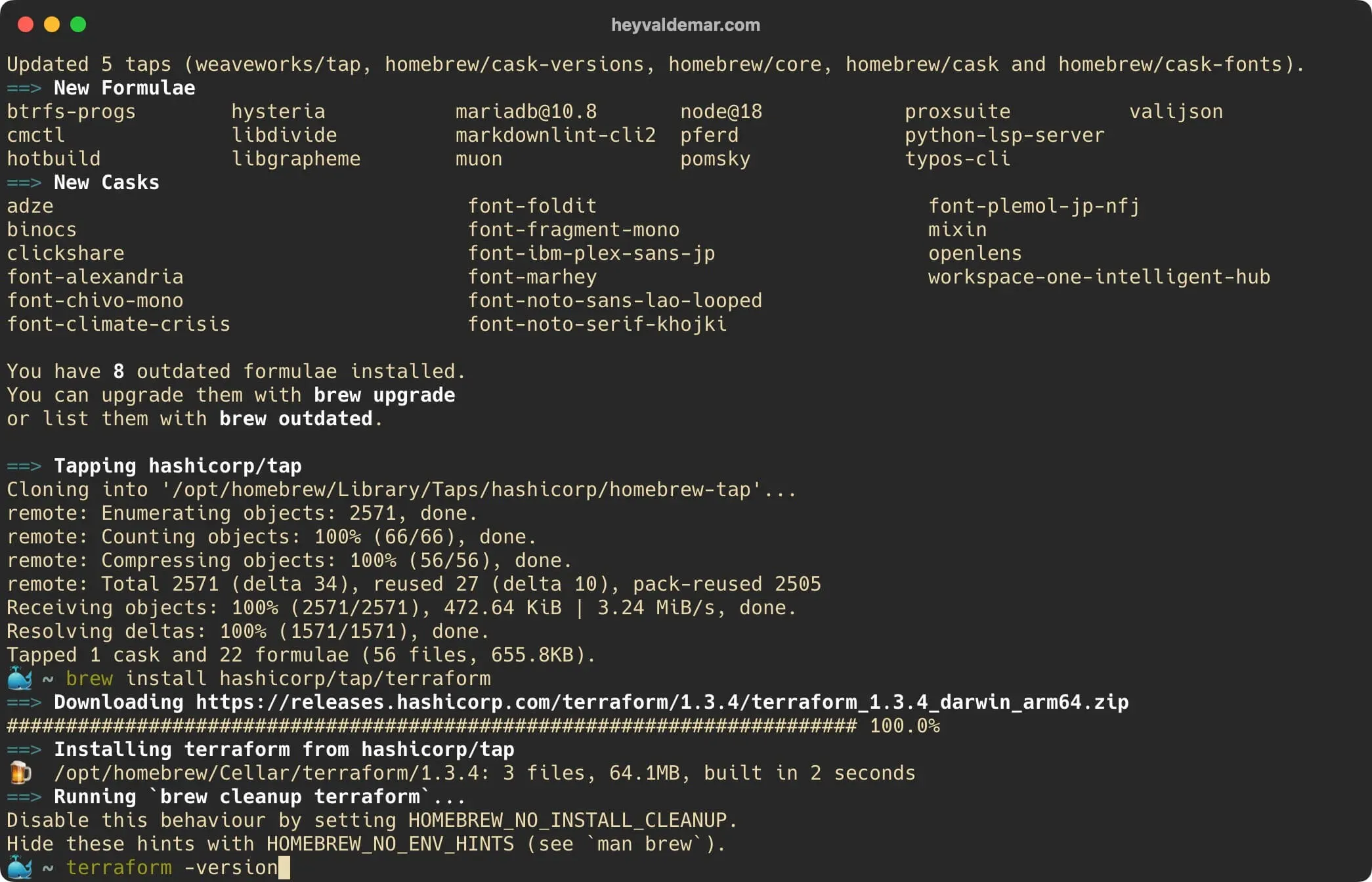
Run the Terraform installation with the command:
brew install hashicorp/tap/terraform
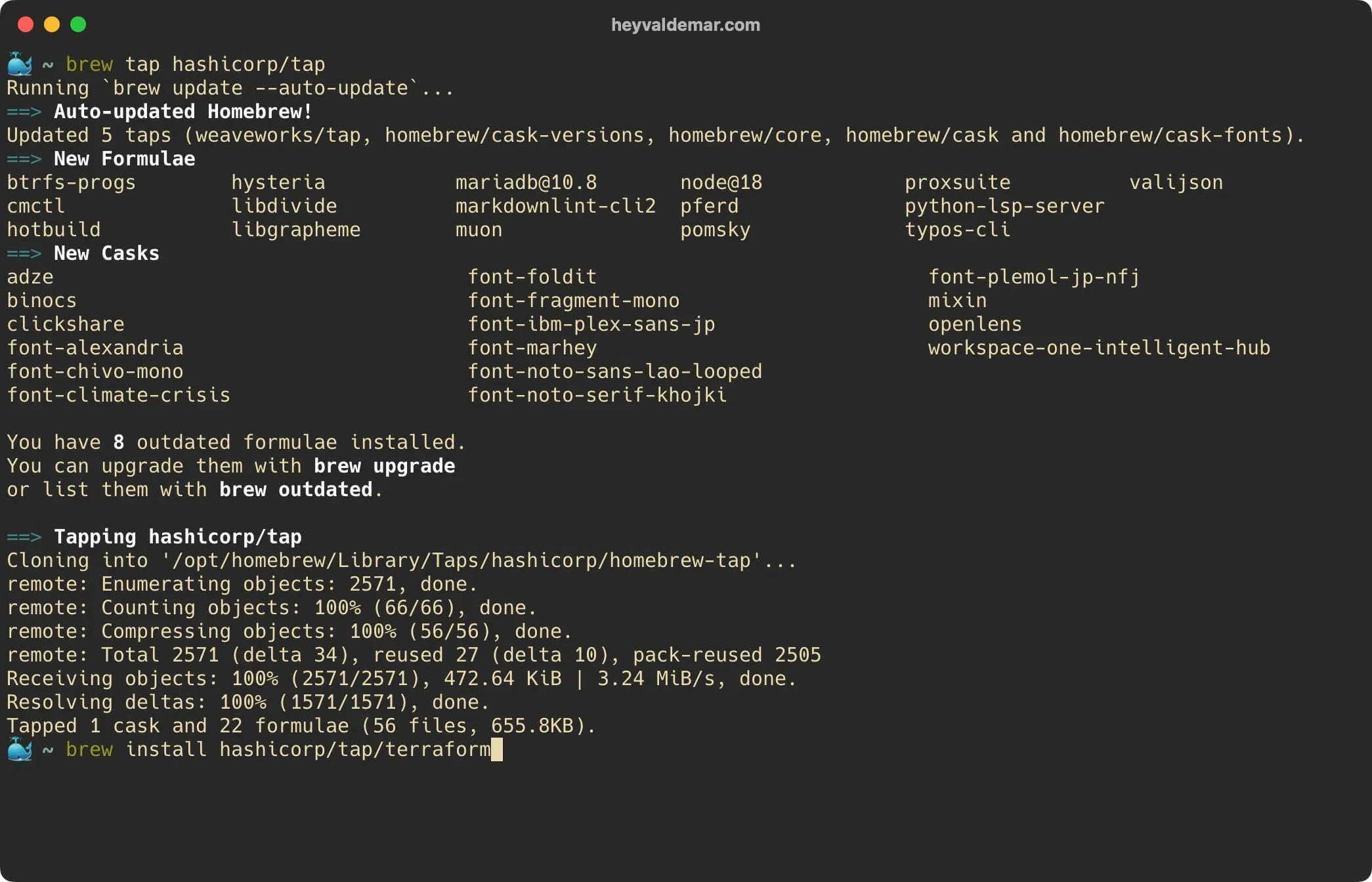
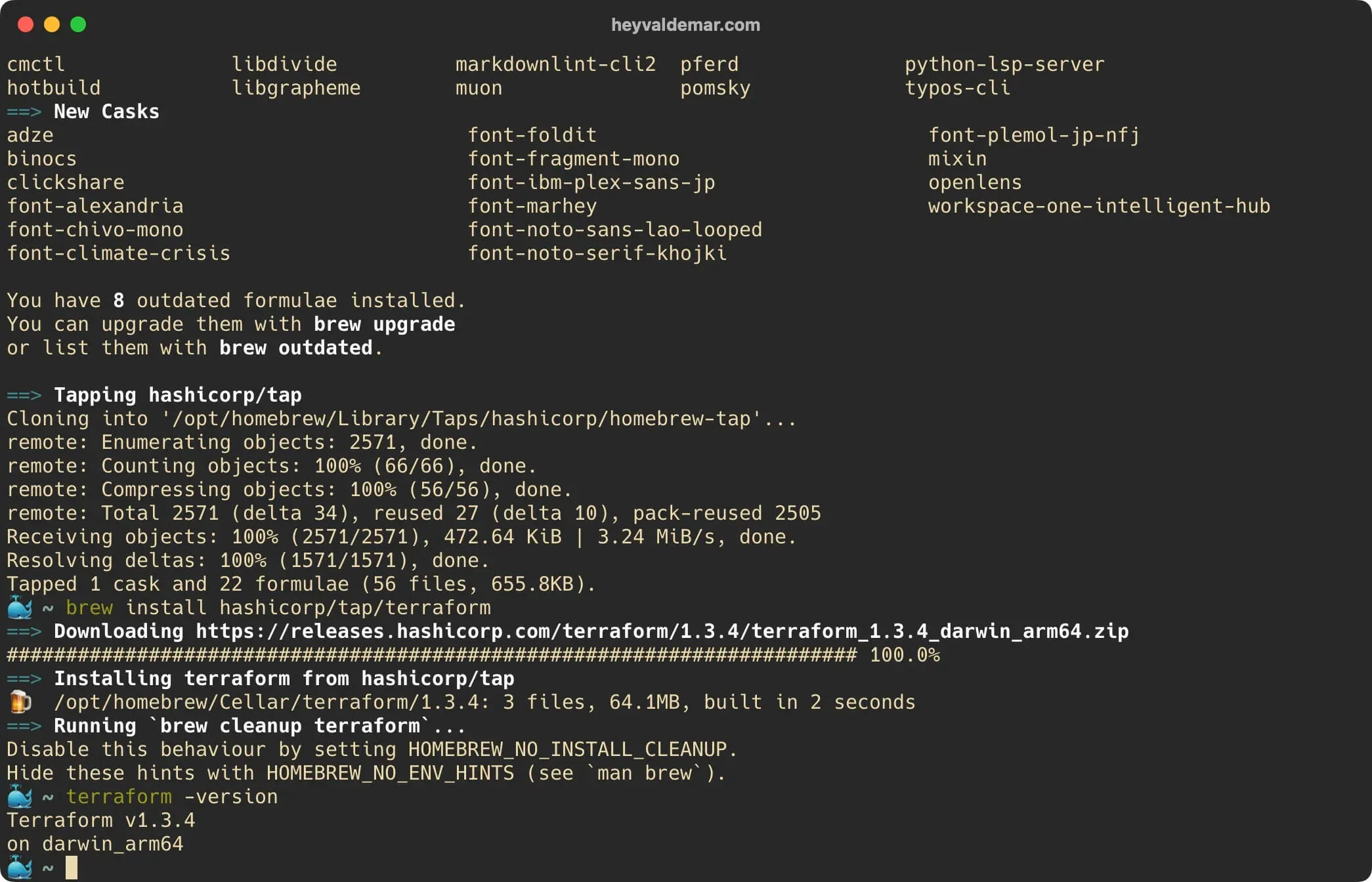
Next, you can see the installed version of Terraform using the command:
terraform -version
Everything is ready to use Terraform.
You can read more about how to configure AWS CLI in my guide Configure AWS CLI.
Related Posts
- 1Docker supply chain hardening — from Scout D to OpenSSF 7.8 on a 730K-pull imageDevOps & Cloud · How I hardened a 730K-pull public Docker image from Scout grade D to OpenSSF Scorecard 7.8. Multi-stage build, cosign signing, SLSA provenance, non-root default, and the incident that changed how I ship attestations.
- 2Cloudflare Web Analytics on Astro — Why Removing GA4 Unlocked Lighthouse 100DevOps & Cloud · How removing Google Analytics 4 from an Astro site unlocked Lighthouse 100, why Cloudflare Web Analytics replaced it, and what the tradeoffs actually cost.
- 3Platform Engineering — The Complete, Practical Guide to Building Internal Developer Platforms That ScaleDevOps & Cloud · A deep, practical guide to Platform Engineering. Learn how to build internal developer platforms, golden paths, GitOps workflows, and scalable cloud foundations.
- 4Amazon Q vs DevOps Chaos — Can This AI Fix AWS Faster Than You?DevOps & Cloud · Fix AWS issues faster with Amazon Q, the AI assistant built for DevOps. Real-world examples, limitations, and how it compares to ChatGPT.
Random Posts
- 1Install Kubernetes on Ubuntu Server 22.04 LTSDevOps & Cloud · Step-by-step guide to install Kubernetes on Ubuntu Server 22.04 LTS using kubeadm. Learn how to set up master and worker nodes with containerd and Calico.
- 2Install Active Directory Domain Services on Windows Server 2012 R2SysAdmin & IT Pro · Learn how to install and configure Active Directory Domain Services (AD DS) on Windows Server 2012 R2 step-by-step using Server Manager. Ideal for sysadmins.
- 3Mastering GitLab CI/CD with Advanced Configuration TechniquesDevOps & Cloud · Unlock powerful GitLab CI/CD strategies with expert YAML configurations. Learn best practices for pipelines, automation, and secure DevOps deployments.
- 4Future-Proofing JavaScript with ESM and CJS Compatibility TechniquesDevOps & Cloud · Master ECMAScript Modules (ESM) and CommonJS (CJS) in NPM packages with our expert guide. Learn key compatibility strategies for effective JavaScript development.