
Mastering Docker Scout through Docker Desktop GUI and CLI
By Vladimir Mikhalev · Docker Captain · CNCF Ambassador · IBM Champion
Docker Scout shows you direct and transitive dependencies in one place, across every image layer. That alone makes container security easier to reason about. I wrote about why it matters before, here: Docker Scout is the Game-Changer in Container Security.
This one is about the how. I’ll run Docker Scout in live use. Both the Docker Desktop GUI and the CLI.
So what does it actually do? Docker Scout reads the contents of an image, reports the packages and vulnerabilities inside, and suggests a fix for each. It also flags updates for your base image, with the tags and digests it recommends. You can filter images by vulnerability data too.
Installing Docker Scout
You need Docker Desktop to run Docker Scout. It works on Linux, macOS, and Windows. The Docker CLI ships with it, so you already have what you need.
Don’t have it yet? Grab Docker Desktop from the official Docker website.
Installing Docker Scout on a server
To deploy Docker Scout on a server, run this:
curl -sSfL https://raw.githubusercontent.com/docker/scout-cli/main/install.sh | sh -s --Manual installation
Download the docker-scout binary for your platform from the latest or other releases.
- Uncompress Docker Scout as:
docker-scouton Linux and macOSdocker-scout.exeon Windows
- Copy Docker Scout in your local CLI plugin directory:
$HOME/.docker/cli-pluginson Linux and macOS%USERPROFILE%\.docker\cli-pluginson Windows
- Make Docker Scout executable on Linux and macOS:
chmod +x $HOME/.docker/cli-plugins/docker-scout
- Authorize the binary to be executable on macOS:
xattr -d com.apple.quarantine $HOME/.docker/cli-plugins/docker-scout
Mastering Docker Scout via Docker Desktop GUI
Run the latest Docker Desktop. Then open the “Images” section in the menu.
NOTEIn this guide, we will conduct a thorough examination of the security vulnerabilities associated with the Mattermost image.
Want the full setup for that image? I walk through it in Installing Mattermost with Docker Compose.
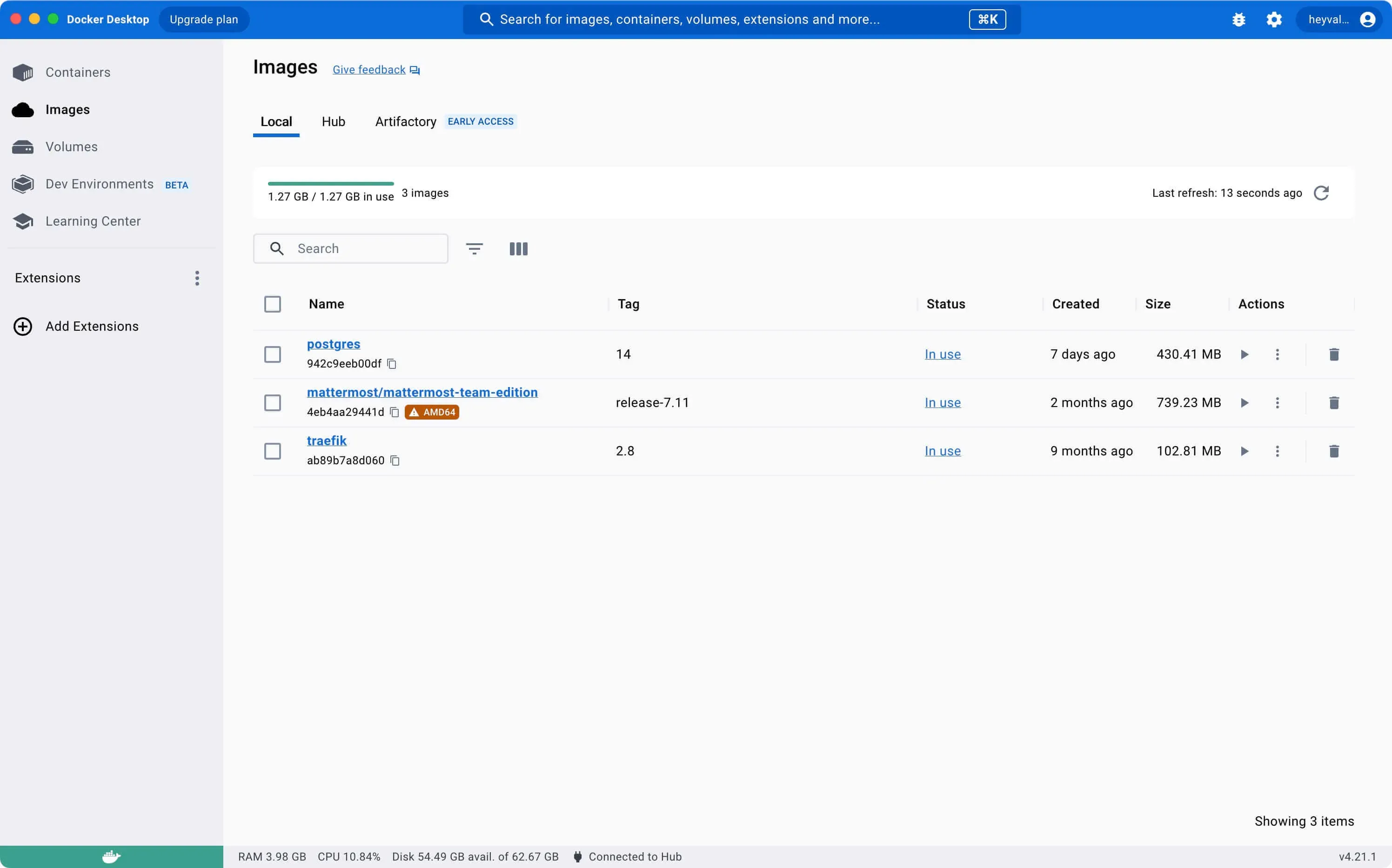
The “Local” tab lists every image on your system. Nothing there? Pull one with the docker pull command.
Now click the image you want to check.
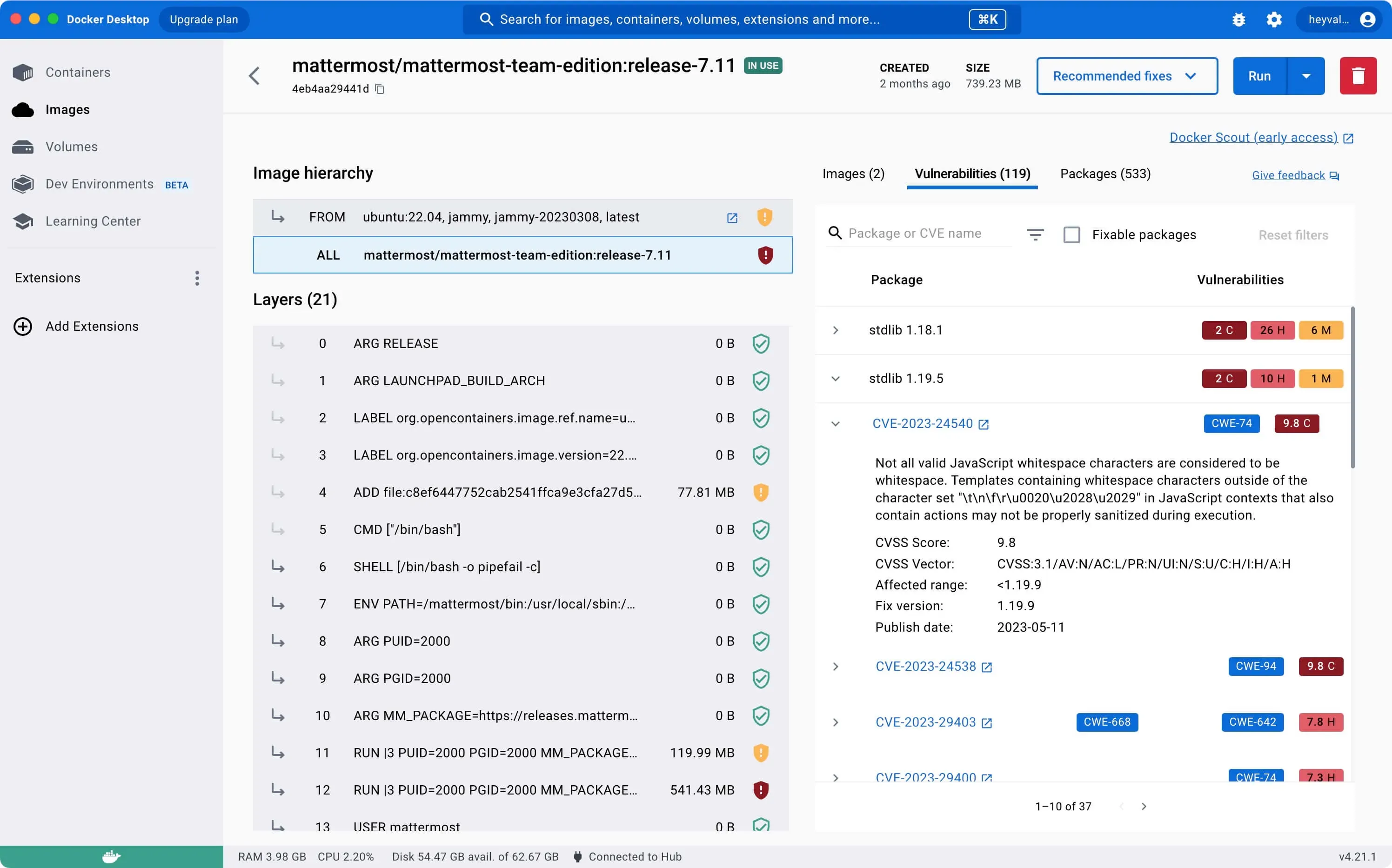
The “Vulnerabilities” tab gives you a report on every security issue in the image.
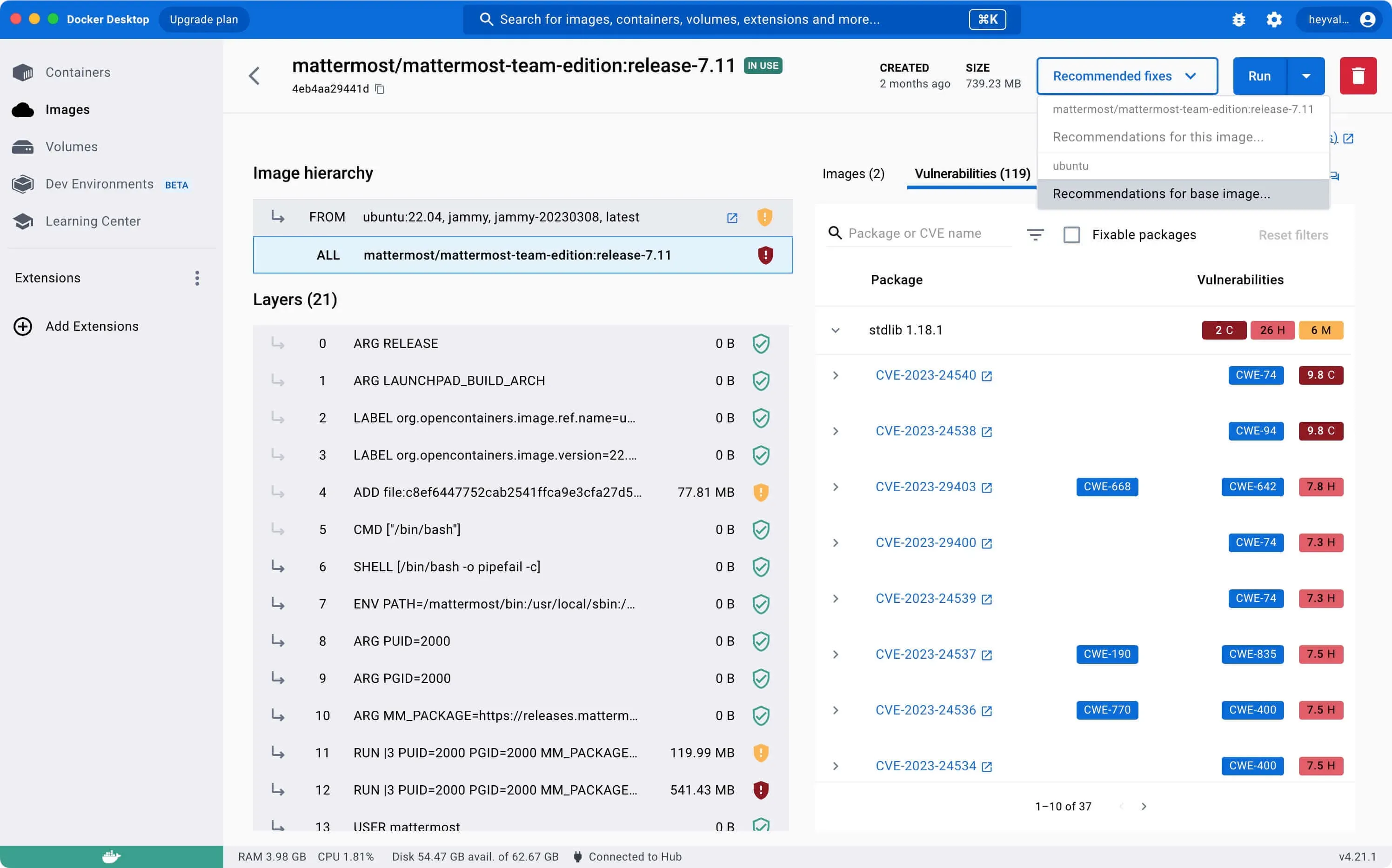
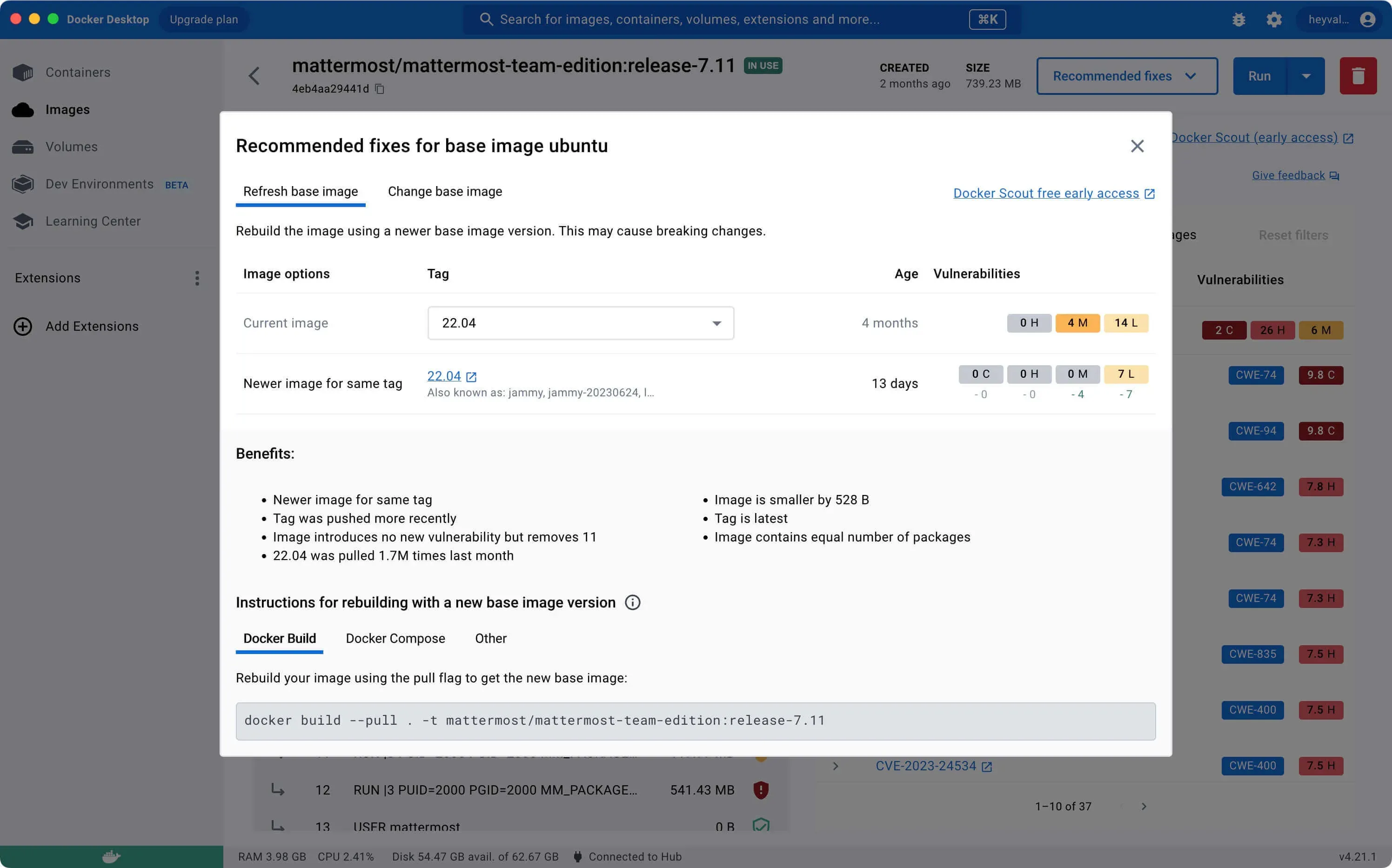
Next, click “Recommended fixes” and pick “Recommendations for base image” to see what Scout suggests.
Here, refreshing the base image is one option.
Check the “Refresh base image” tab for those recommendations.
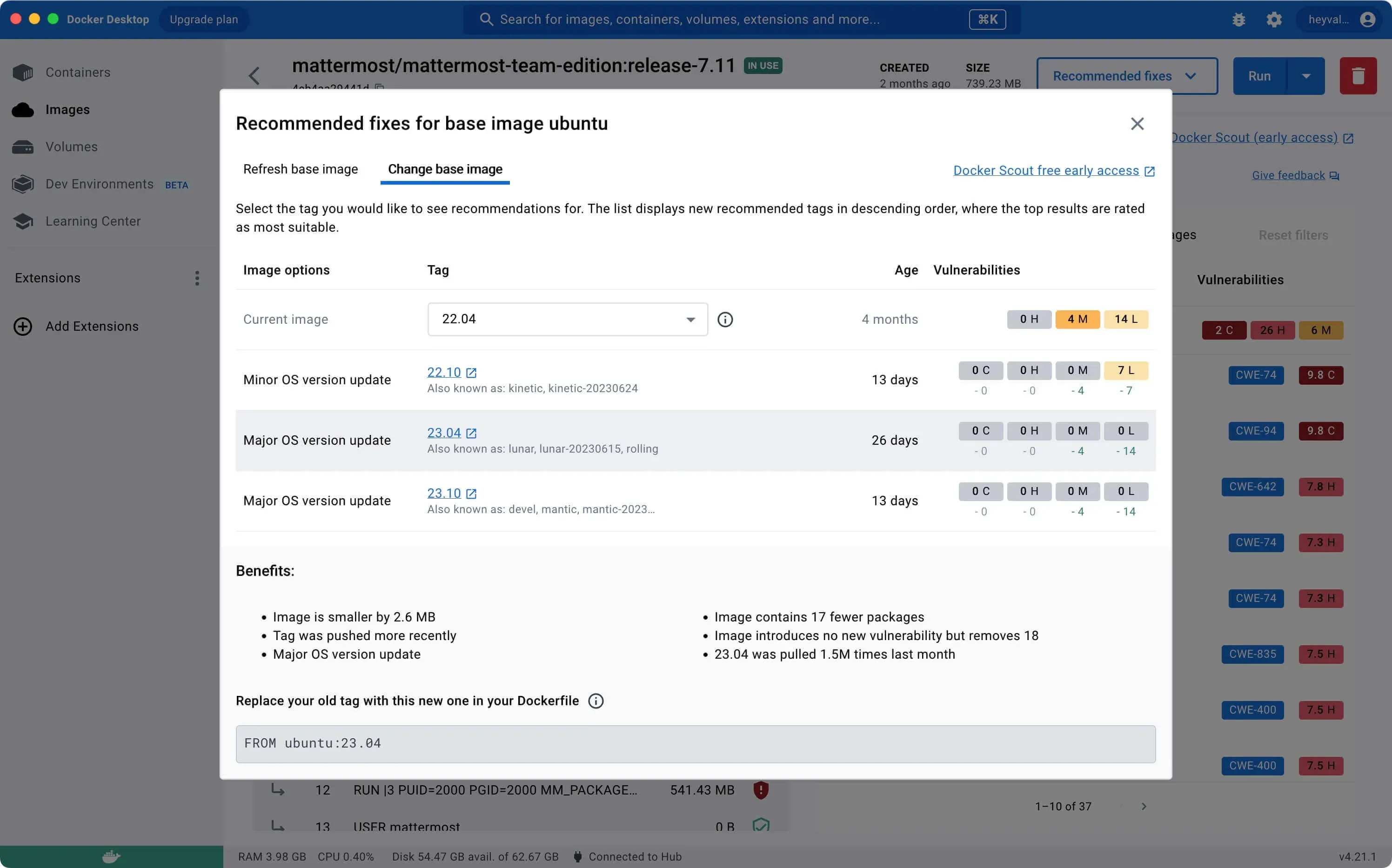
Or swap the base image entirely.
Check the “Change base image” tab for that.
Mastering Docker Scout via CLI
Now the CLI. A few commands carry most of the weight:
docker scout quickview: This command provides a succinct summary of an image, enabling you to get a quick understanding of its main features.
docker scout cves: This command reveals the Common Vulnerabilities and Exposures (CVEs) detected for any software artifacts found within an image, keeping you informed about potential security risks.
docker scout recommendations: With this command, you’ll receive a list of all possible base image updates and remediation suggestions, guiding you on how to improve your container security and efficiency.
docker scout compare: This command allows you to compare two distinct images, highlighting their differences. This feature is particularly useful when you’re tracking changes or considering updates.
Learn these four and you cover most of the day-to-day work.
NOTEThis guide walks you through connecting to a server with the iTerm2 terminal emulator on macOS.
We will conduct a thorough examination of the security vulnerabilities associated with the Mattermost image.
Need the install steps first? See Installing Mattermost with Docker Compose.
Start with a quick summary of the image:
docker scout quickview mattermost/mattermost-team-edition:release-7.11 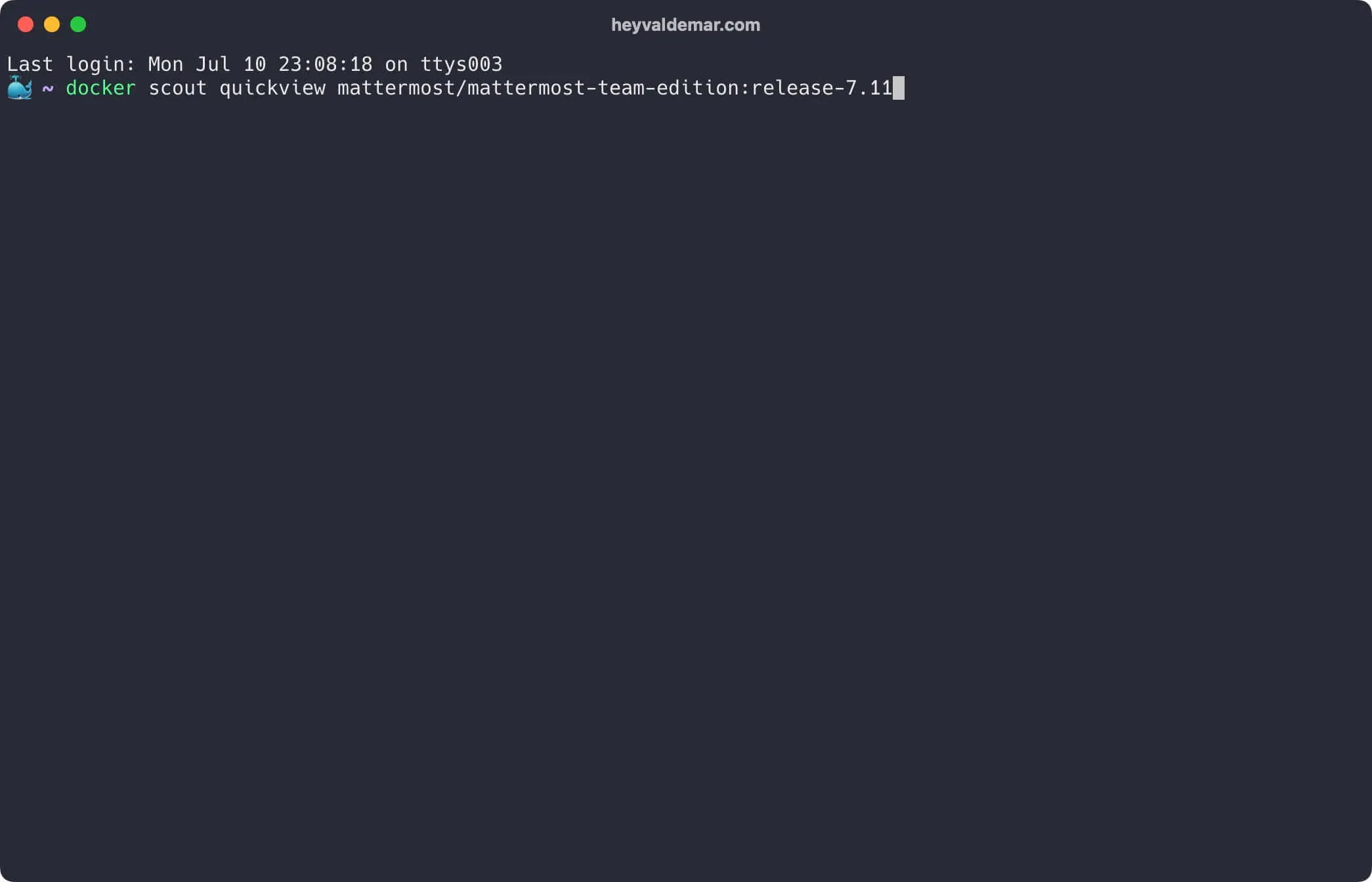
Next, pull the CVEs found across the artifacts in the image:
docker scout cves mattermost/mattermost-team-edition:release-7.11 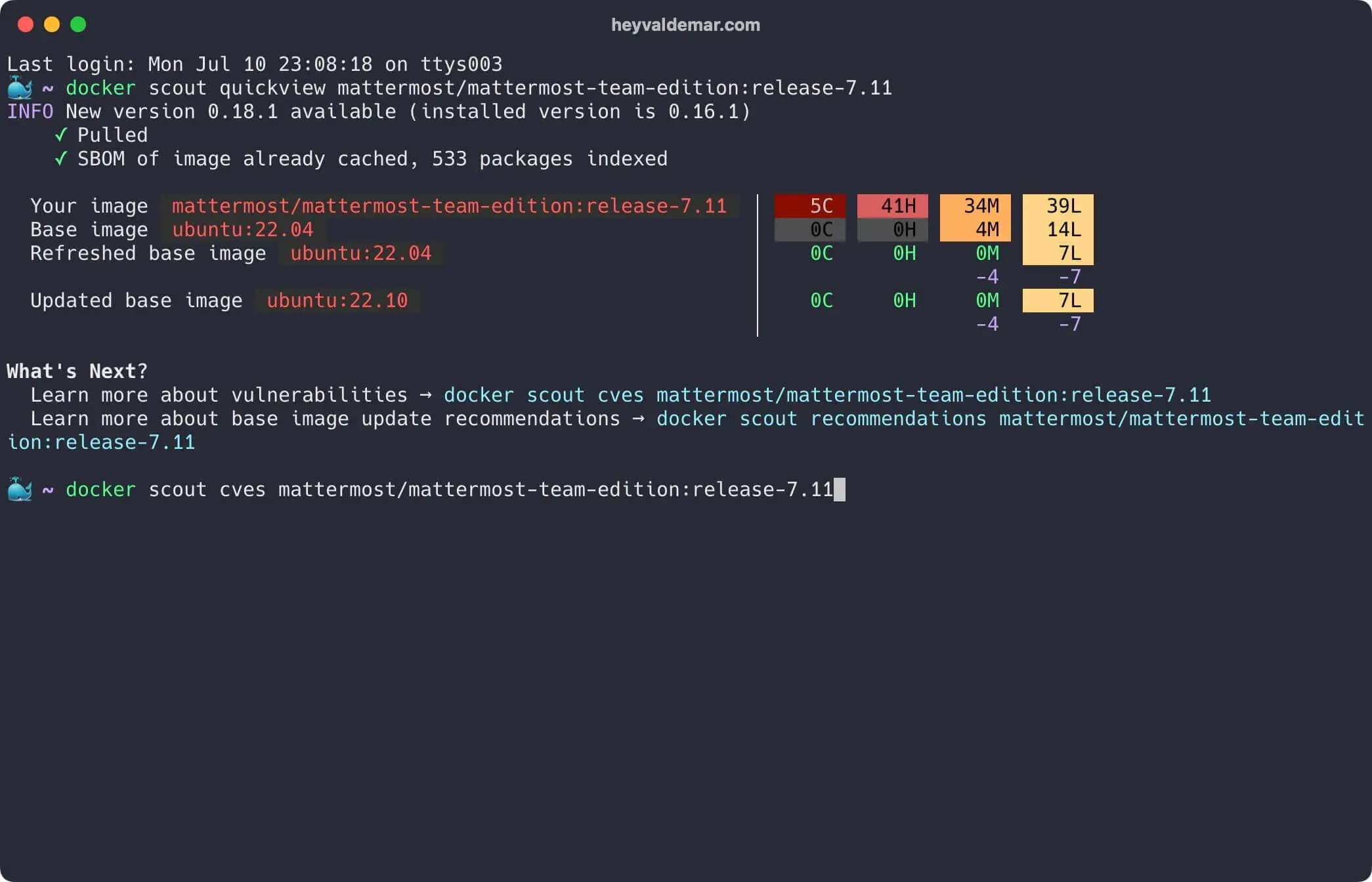
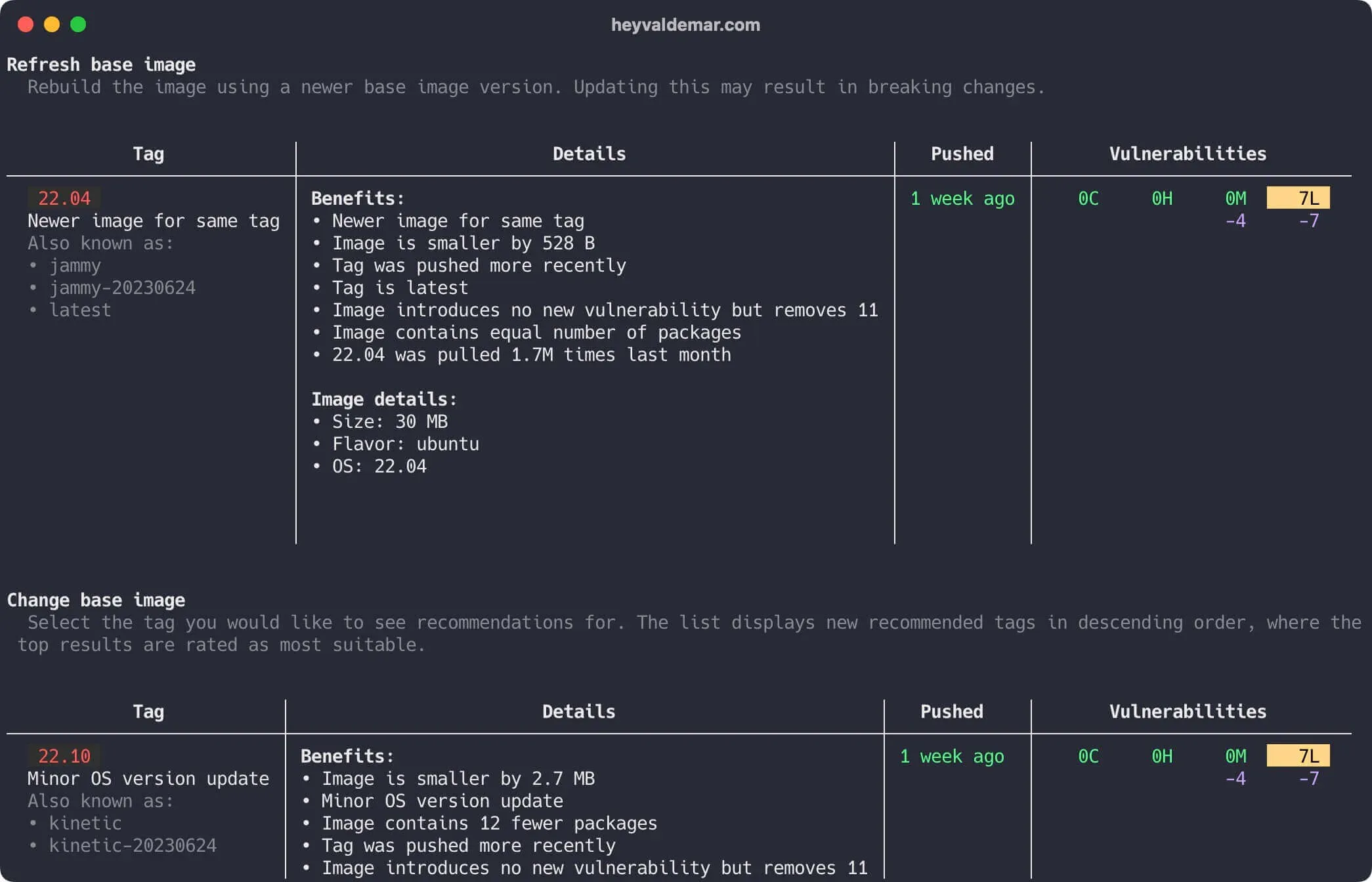
Now list the base image updates and remediation suggestions:
docker scout recommendations mattermost/mattermost-team-edition:release-7.11 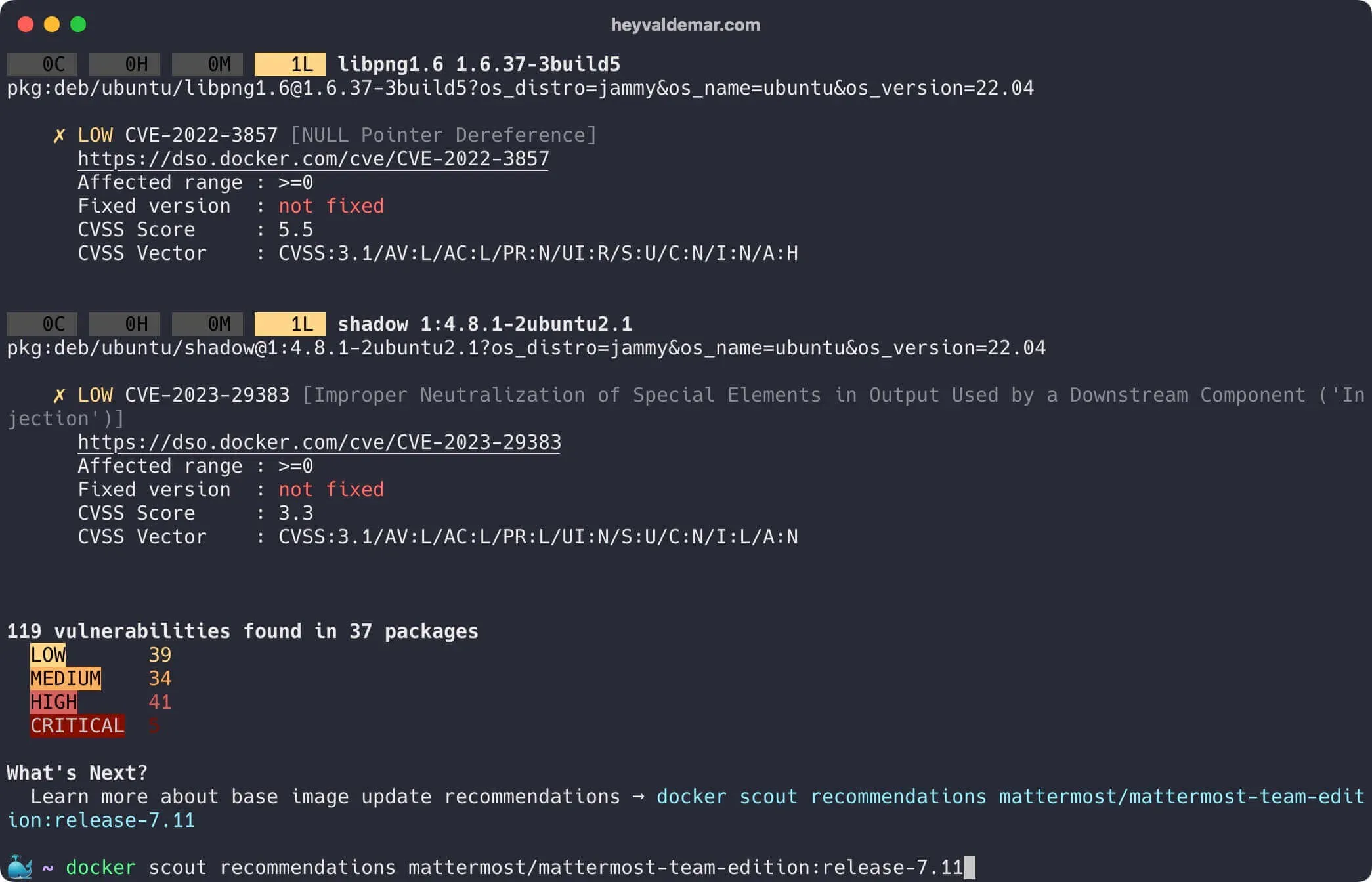
Scroll up for the rest.
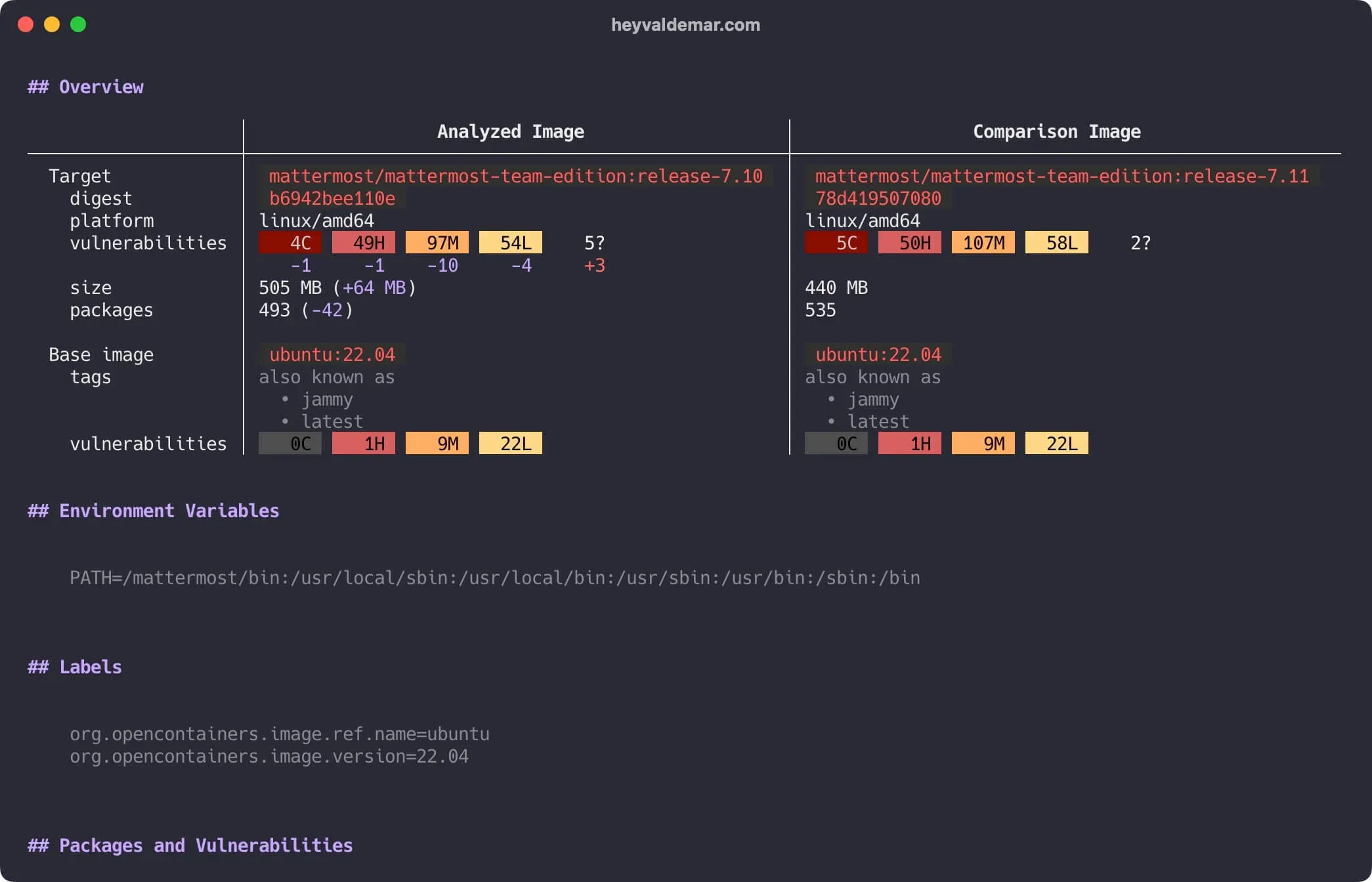
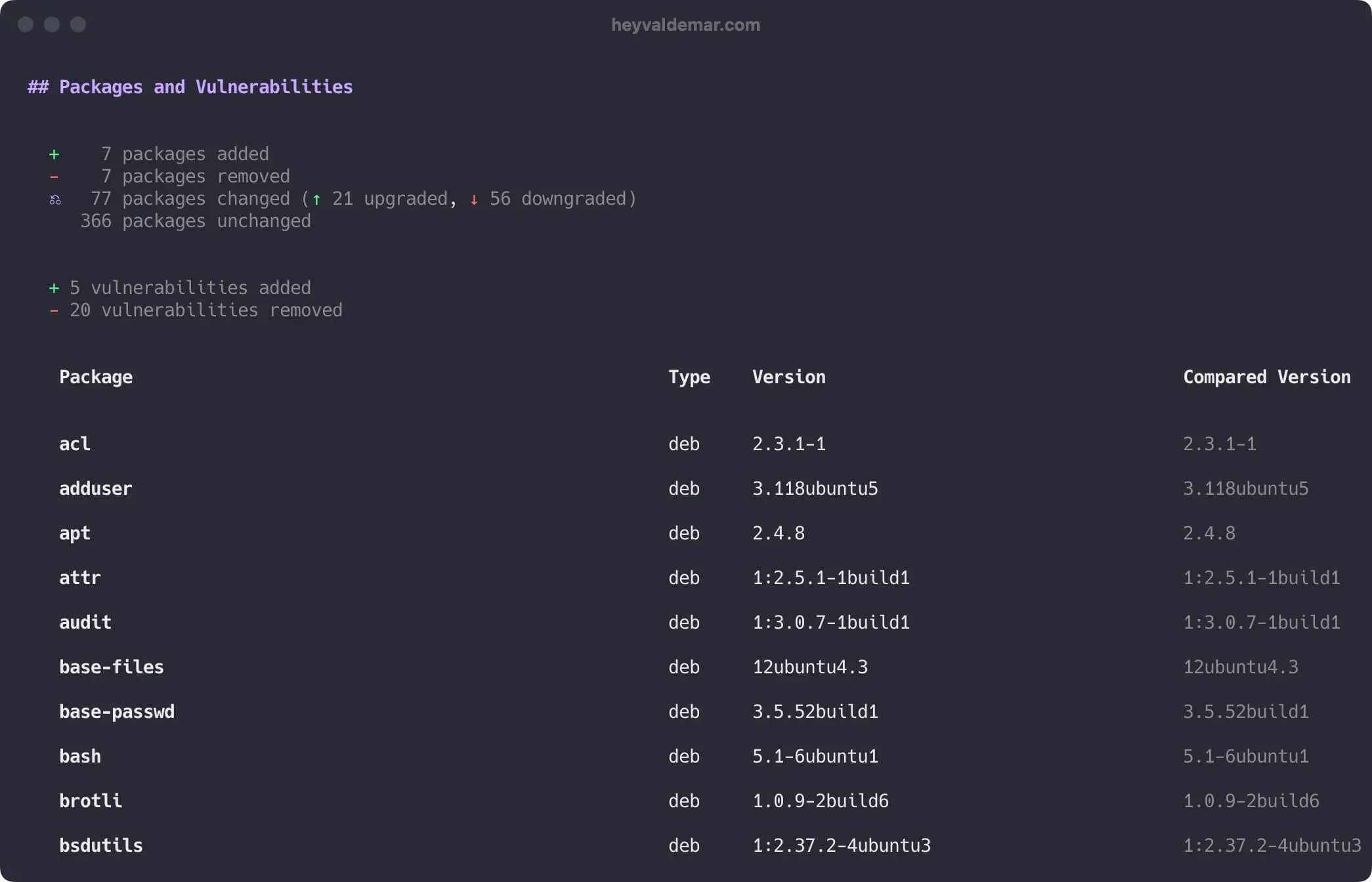
Now compare two images and see what differs. Here, two Mattermost releases.
docker scout compare --to mattermost/mattermost-team-edition:release-7.11 mattermost/mattermost-team-edition:release-7.10 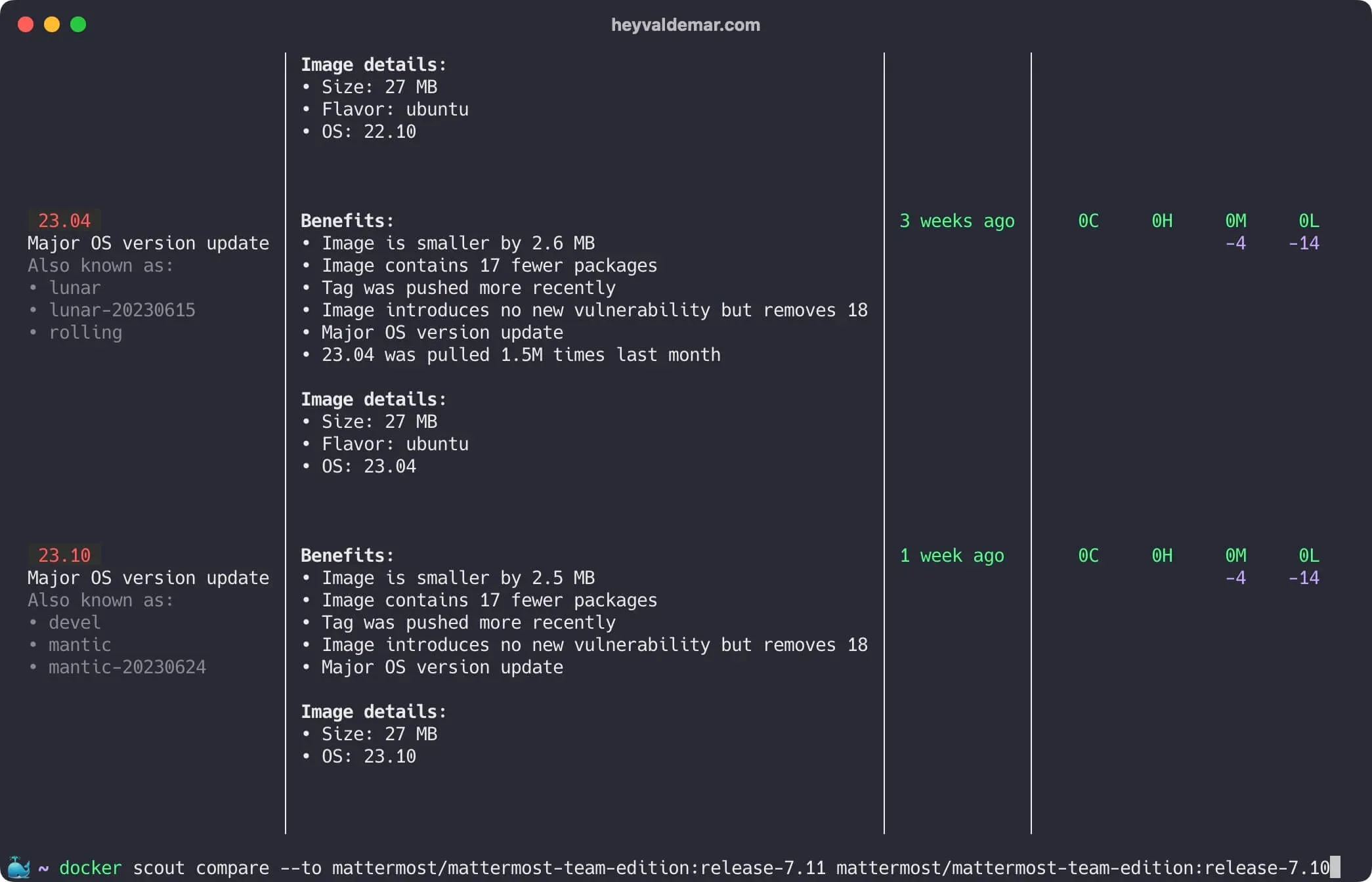
Scroll up for the rest.
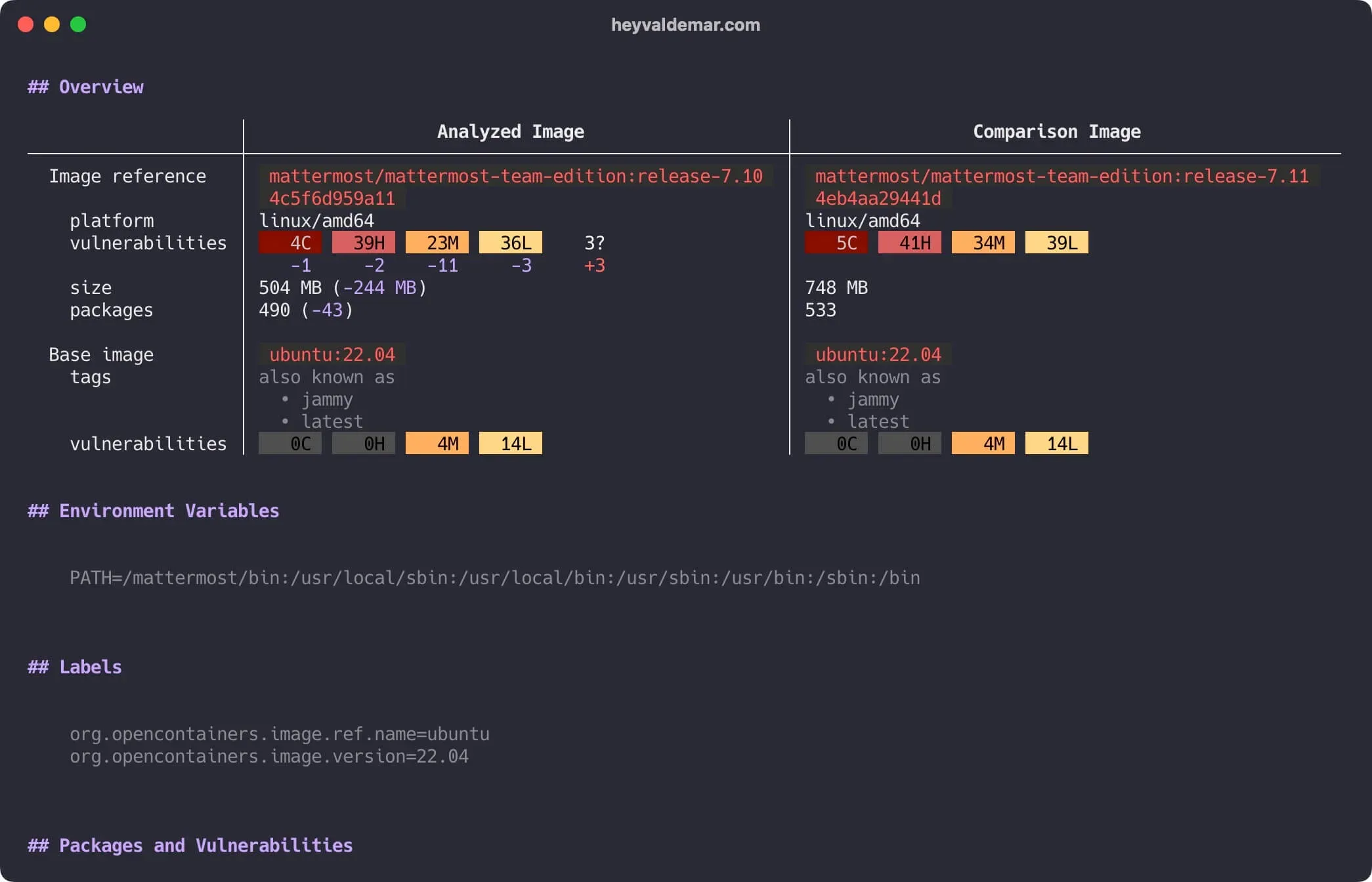
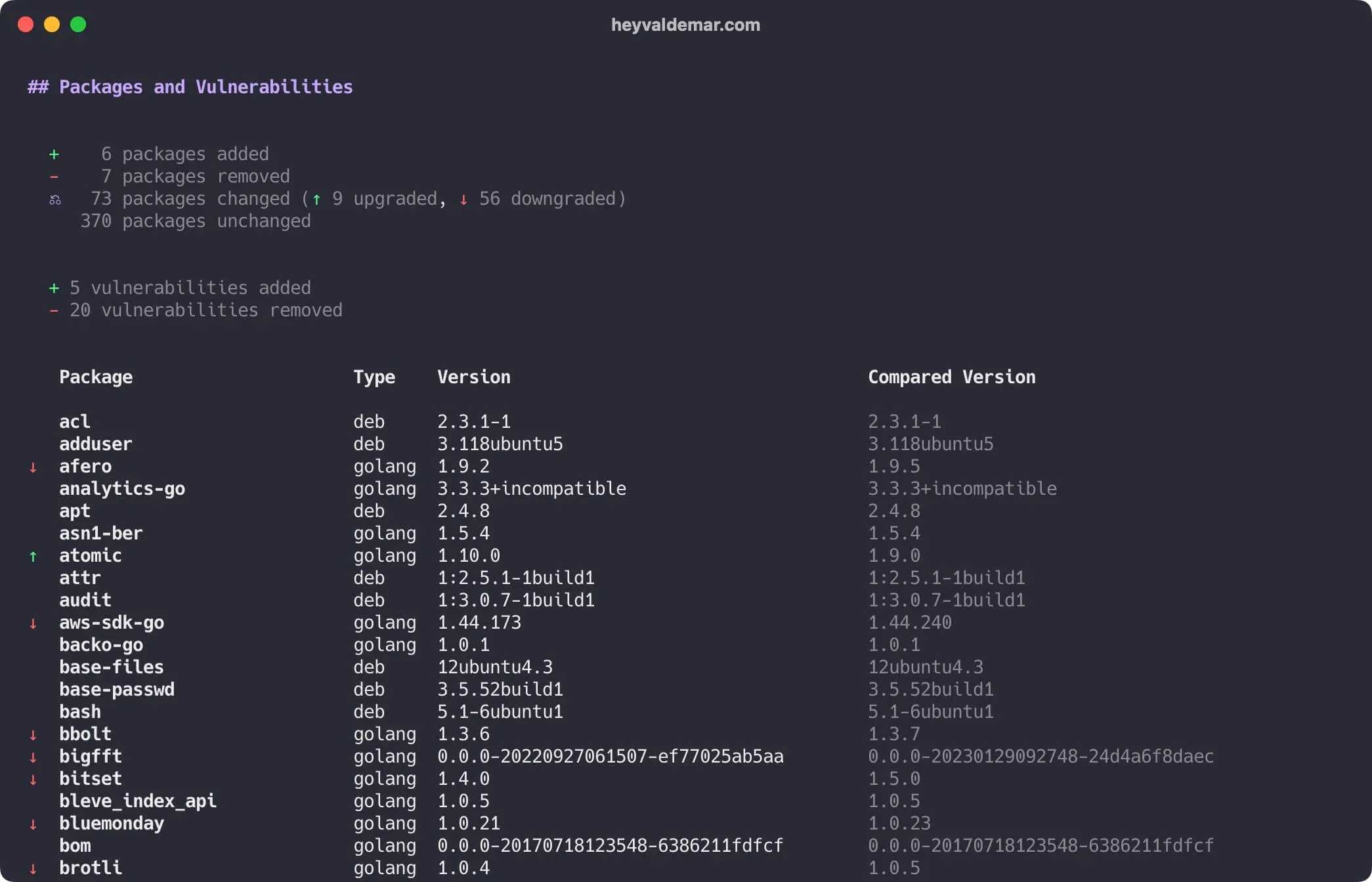
Mastering Docker Scout via CLI in the container
You don’t always need the plugin installed. You can run Scout straight from a container.
NOTEThis guide walks you through connecting to a server with the iTerm2 terminal emulator on macOS.
We will conduct a thorough examination of the security vulnerabilities associated with the Mattermost image.
Same as before, the install guide is here: Installing Mattermost with Docker Compose.
Start with the quick summary:
docker run -it \ -e DOCKER_SCOUT_HUB_USER=YOUR_DOCKER_HUB_USER_NAME \ -e DOCKER_SCOUT_HUB_PASSWORD=YOUR_DOCKER_HUB_PASSWORD_OR_ACCESS_TOKEN \ docker/scout-cli quickview mattermost/mattermost-team-edition:release-7.11 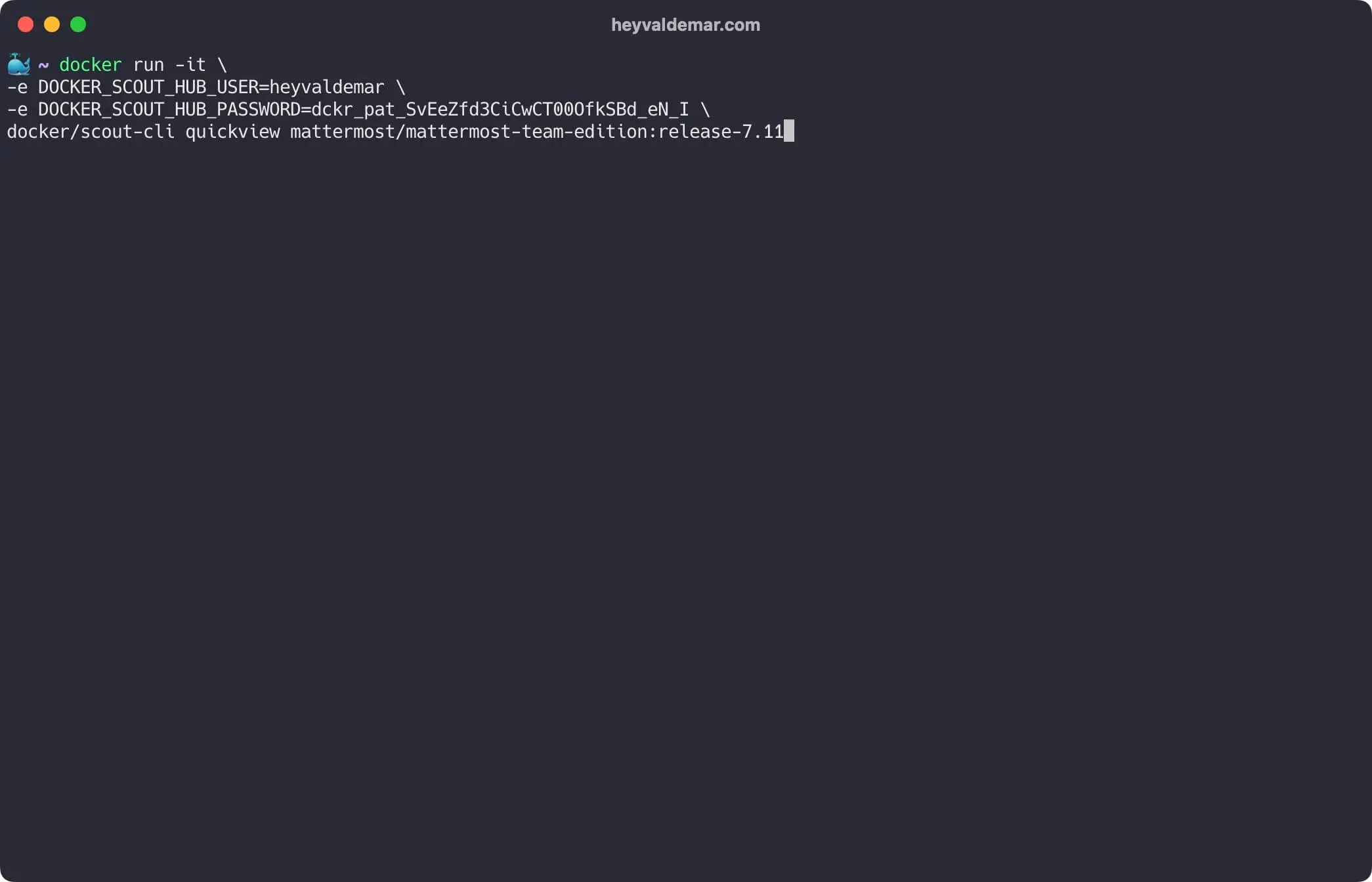
Then the CVEs found across the artifacts in the image:
docker run -it \ -e DOCKER_SCOUT_HUB_USER=YOUR_DOCKER_HUB_USER_NAME \ -e DOCKER_SCOUT_HUB_PASSWORD=YOUR_DOCKER_HUB_PASSWORD_OR_ACCESS_TOKEN \ docker/scout-cli cves mattermost/mattermost-team-edition:release-7.11 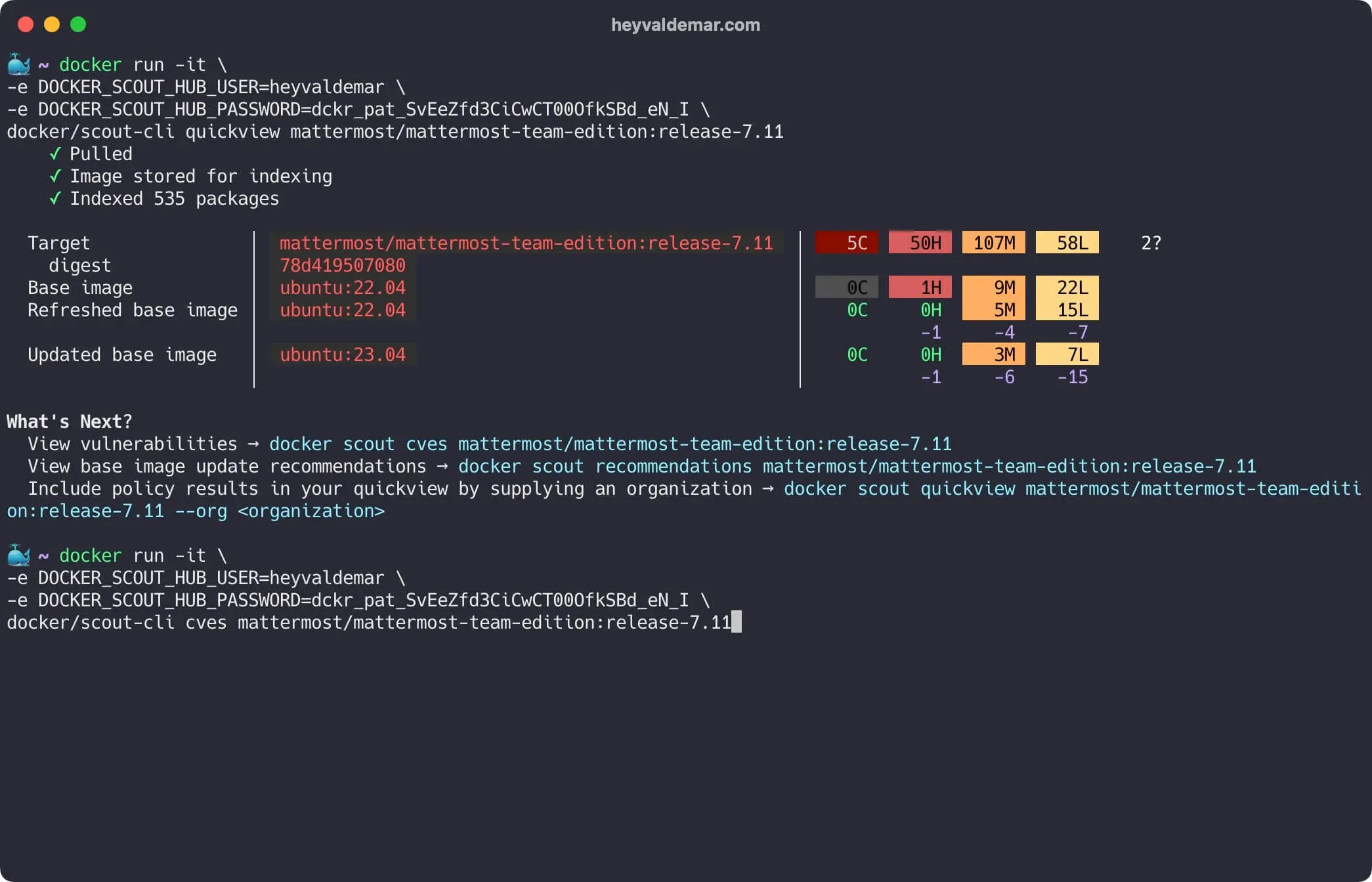
Now the base image updates and remediation suggestions:
docker run -it \ -e DOCKER_SCOUT_HUB_USER=YOUR_DOCKER_HUB_USER_NAME \ -e DOCKER_SCOUT_HUB_PASSWORD=YOUR_DOCKER_HUB_PASSWORD_OR_ACCESS_TOKEN \ docker/scout-cli recommendations mattermost/mattermost-team-edition:release-7.11 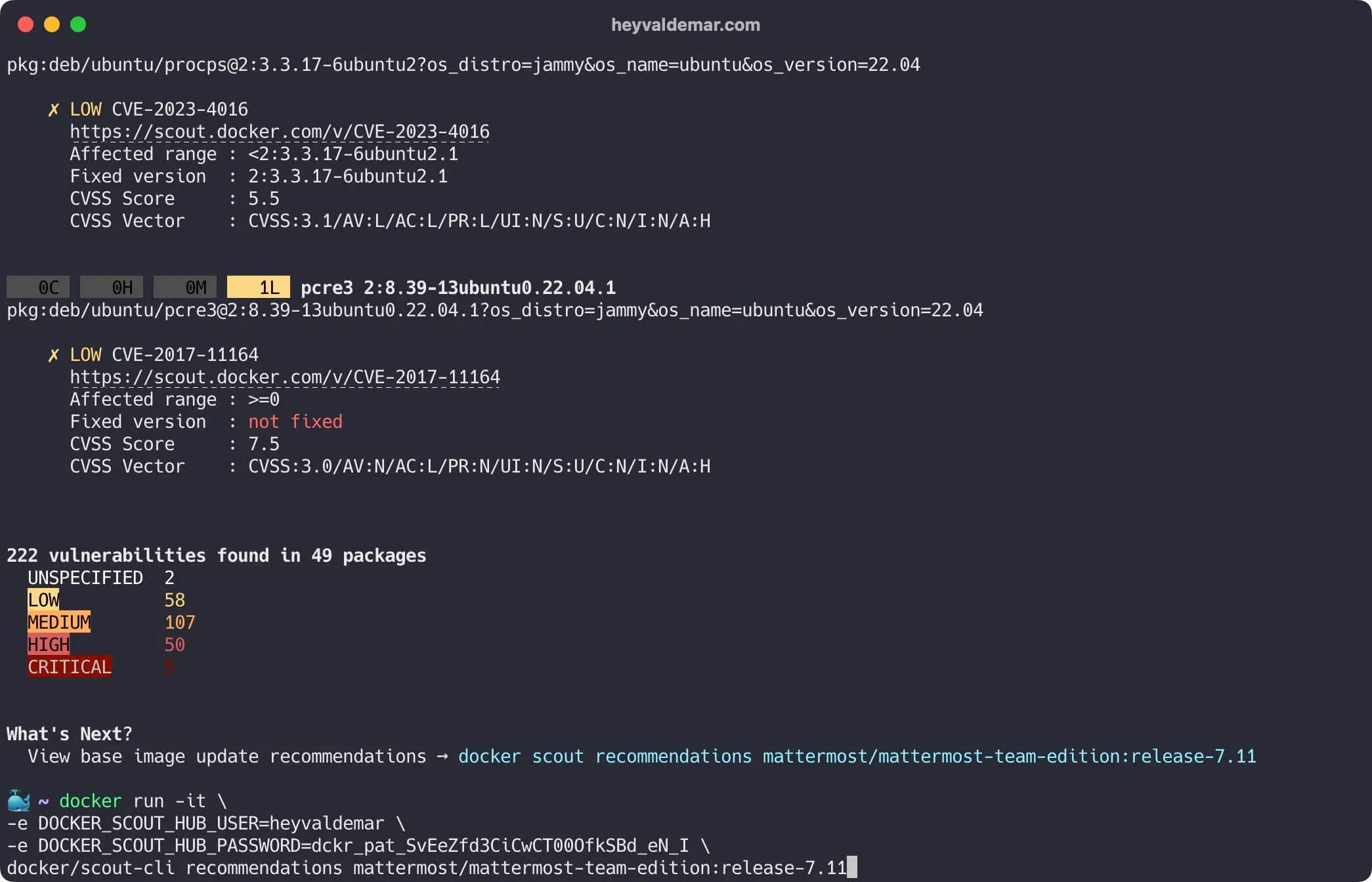
And compare two releases, same as before:
docker run -it \ -e DOCKER_SCOUT_HUB_USER=YOUR_DOCKER_HUB_USER_NAME \ -e DOCKER_SCOUT_HUB_PASSWORD=YOUR_DOCKER_HUB_PASSWORD_OR_ACCESS_TOKEN \ docker/scout-cli compare \ --to mattermost/mattermost-team-edition:release-7.11 \ mattermost/mattermost-team-edition:release-7.10 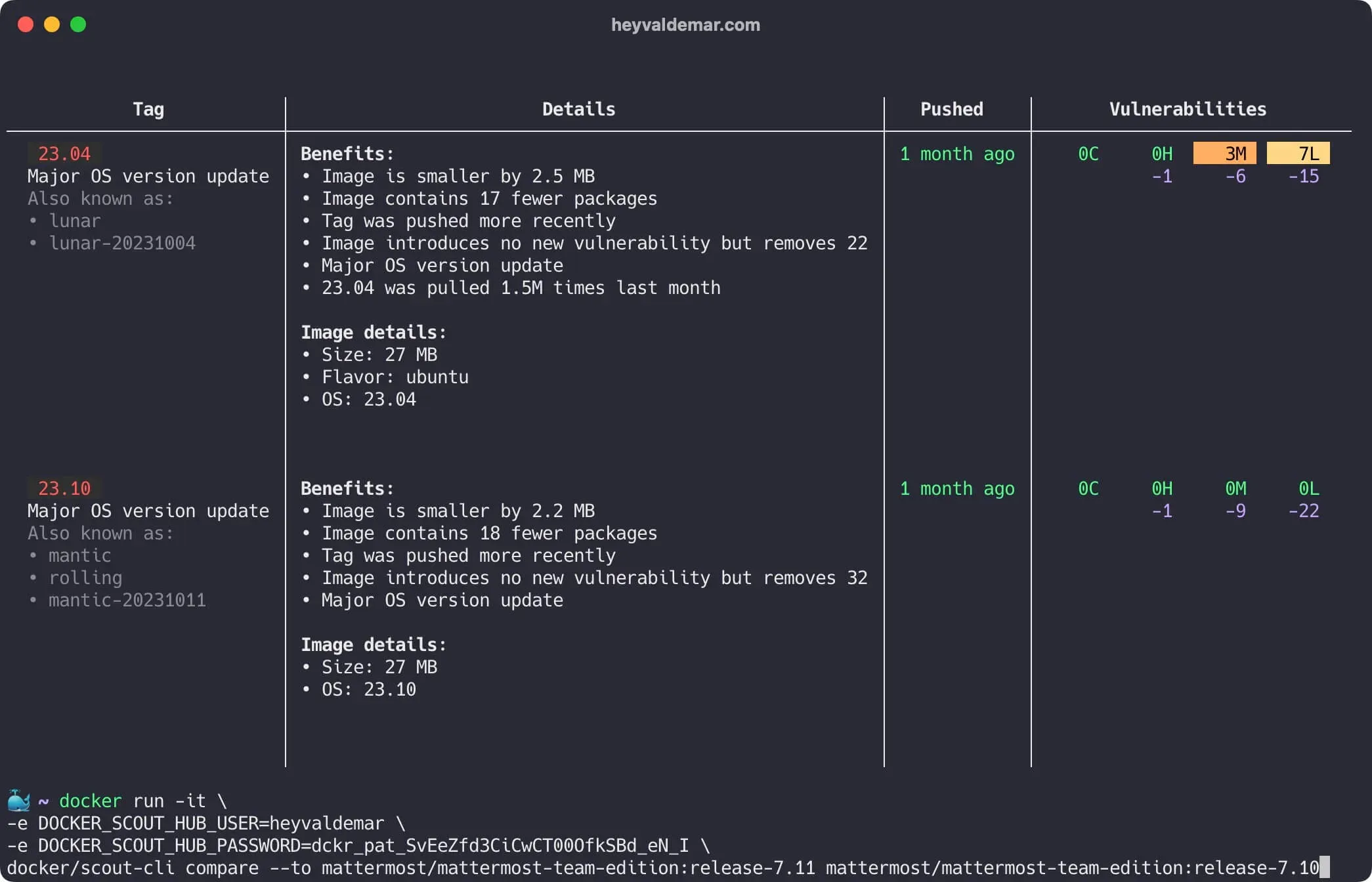
Scroll up for the rest.
Conclusion
That’s the walkthrough. Docker Scout from the Desktop GUI and from the CLI, both. Container security should sit near the top of your list, and Scout earns a spot in the workflow fast. Wire it in. You get fewer surprises in your images, and a base you can actually trust.