
Recovering a Corrupt Exchange Database with Stellar Repair — Real-World Lab Test
By Vladimir Mikhalev · Docker Captain · CNCF Ambassador · IBM Champion
You know the feeling. The Exchange database won’t mount, users are screaming, and the logs read like hieroglyphics. I decided to build that nightmare on purpose, in a lab where nobody could get hurt. The point was simple. I wanted to find out whether Stellar Repair for Exchange could actually drag me back out of the fire.
It did. But I’m getting ahead of myself.
None of this is theory. It’s a war story from a controlled lab, start to finish: from “let’s nuke the Exchange database” all the way to “back in business without losing a single email.”
Why Stellar Repair for Exchange Caught My Eye
I’ve spent enough years in the trenches with Exchange to know one thing for certain. When a database goes dirty, your weekend is already over.
Microsoft hands you eseutil and a few other tools. Fine for tidy problems. In a real disaster, though, it’s a butterknife at a gunfight.
That’s the gap Stellar Repair for Exchange tries to fill. One job, nothing fancy: take a corrupt EDB file and make it readable again.
A 4.9/5 Trustpilot rating told me I wasn’t the only one wondering whether it delivers.
The Test Lab: Building a Realistic Disaster
You don’t trust recovery software on a hunch. So before anything else I stood up a lab that looked like a real environment. Two boxes:
- HQ-DC01 - Windows Server 2019, Active Directory Domain Controller
- HQ-EXCH01 - Windows Server 2019, Exchange 2019 CU15
Three demo users. A handful of emails going back and forth, a few calendar invites thrown in. The goal was to make the database feel lived-in, like an ordinary Tuesday at the office rather than an empty test rig.
Installing Stellar Repair for Exchange
The install is about as hard as installing a screensaver. Download, click Next a few times, done. Nothing hidden underneath, no surprise dependencies waiting to bite you.
Making a Mess: Dirty Shutdown on Purpose
Now the fun part.
Exchange logs hold the database together. They keep it consistent. So I deleted half of them. Then I killed the “Microsoft Exchange Information Store” service. That was enough to shove the database straight into a dirty shutdown.
To confirm:
eseutil /mh '.\DB01-Mailbox.edb'Dirty. Exactly what I was after.
Exchange now flatly refuses to mount the thing. Disaster achieved, on schedule.
Recovery with Stellar Repair for Exchange
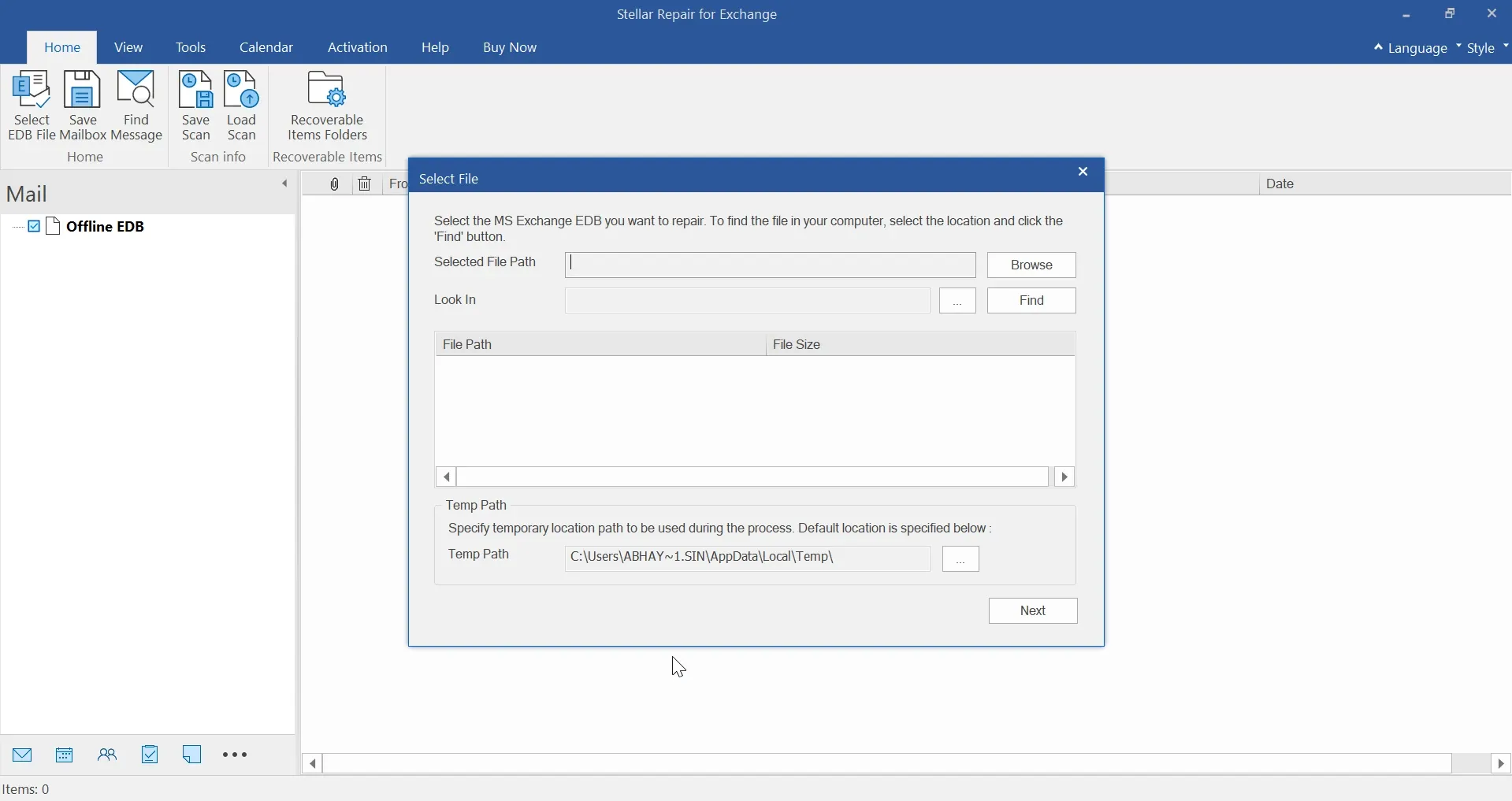
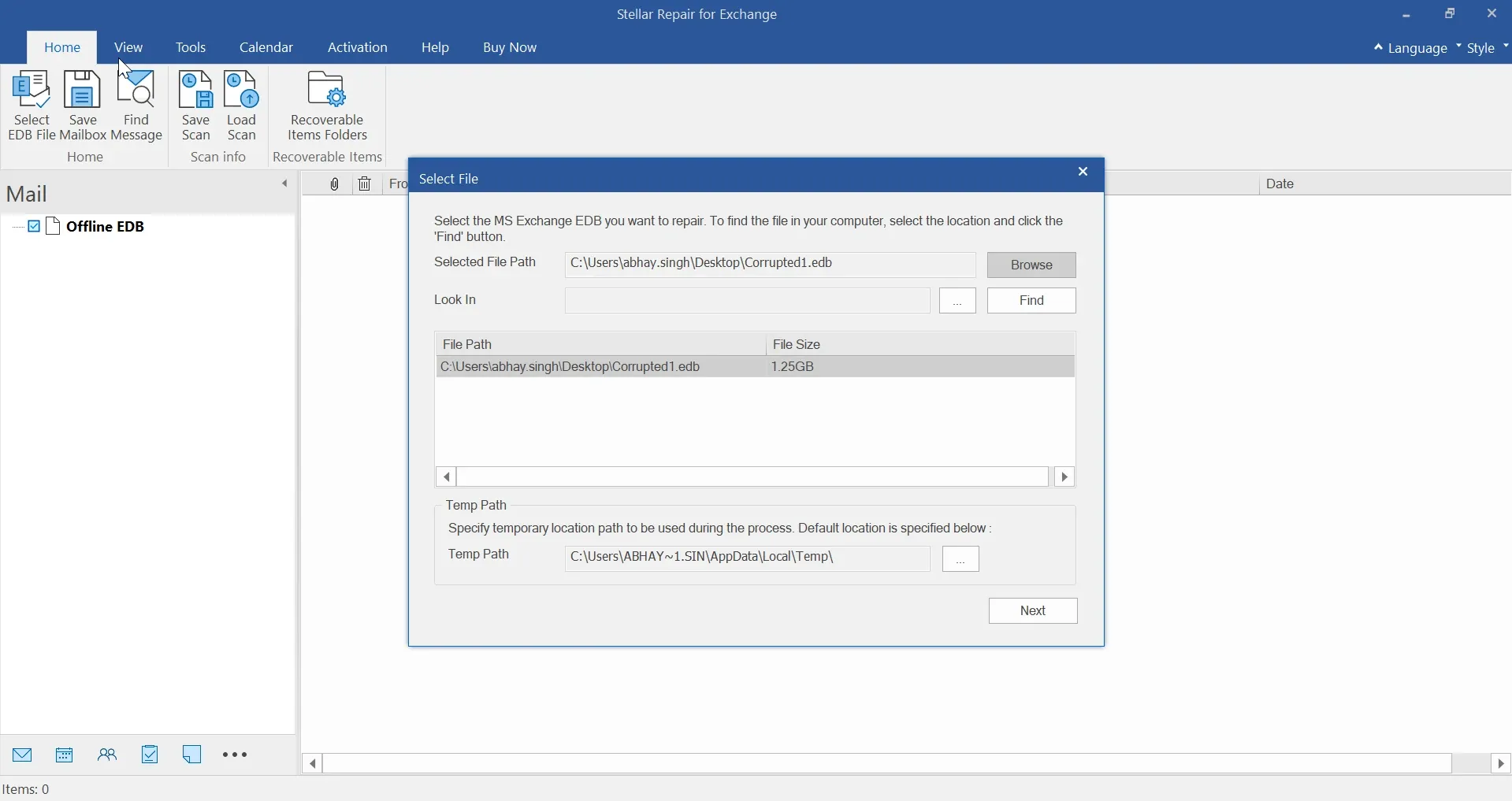
Step 1: Point to the EDB
Launch Stellar and point it at the EDB file. Lost track of where it lives? There’s a “Find” option for that. It also surfaces a Temp folder path, and you want disk space sitting there.
That detail matters more than it looks. The tool leans on the Temp location while it chews through a large database, so check that the path Stellar shows has real free space before you kick off a scan.
Step 2: Choose the Scan Mode
Two scan modes are on offer:
- Quick Scan - good for light corruption
- Extensive Scan - deep, slower, but thorough
I picked Extensive Scan. My database had basically been set on fire, so half measures weren’t going to cut it.
Step 3: Wait for the Magic
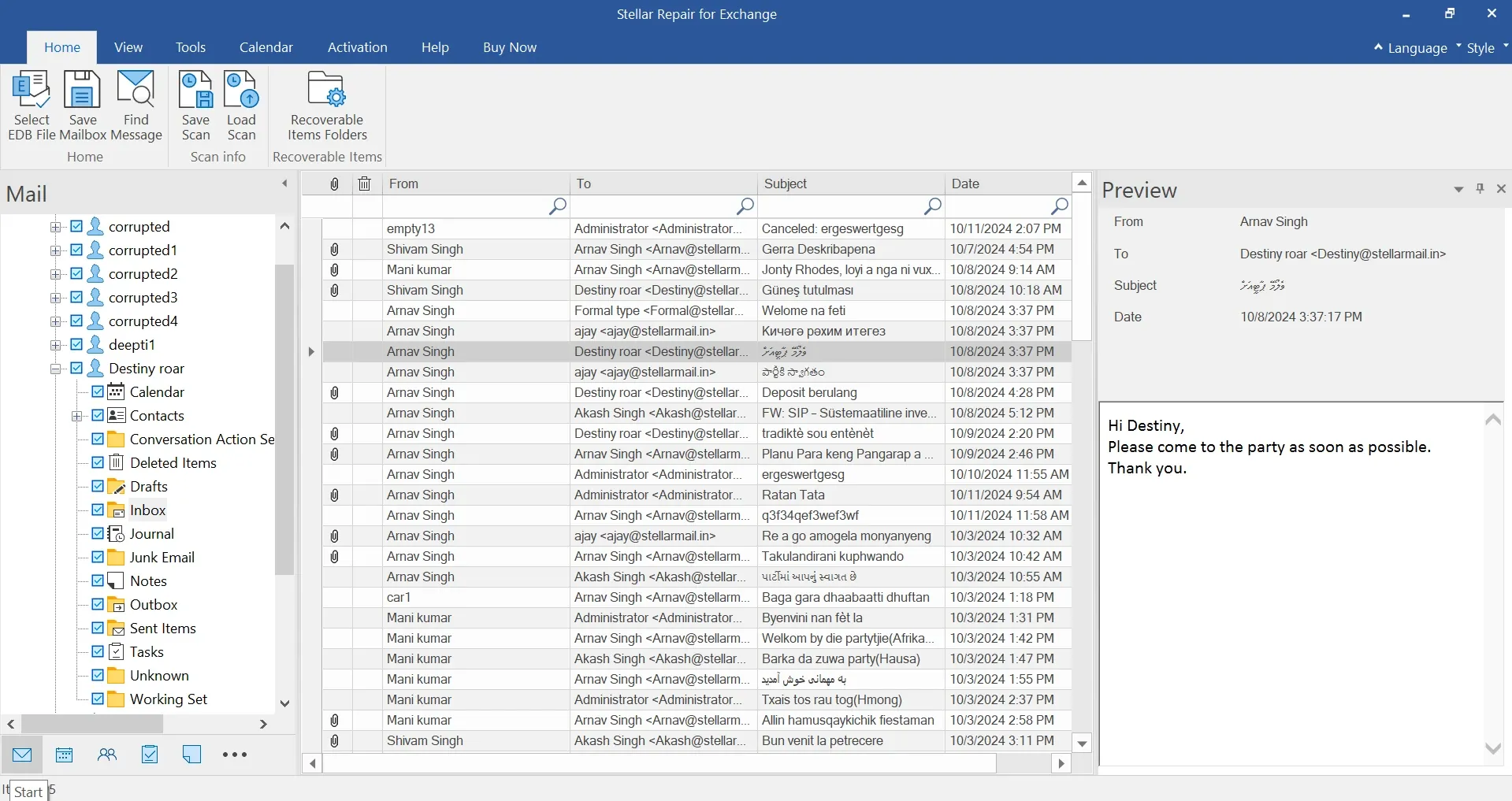
The scan finished and Stellar handed me all three mailboxes. Emails, calendars, contacts, the lot. Every bit of it browsable.
Recovery Options That Matter
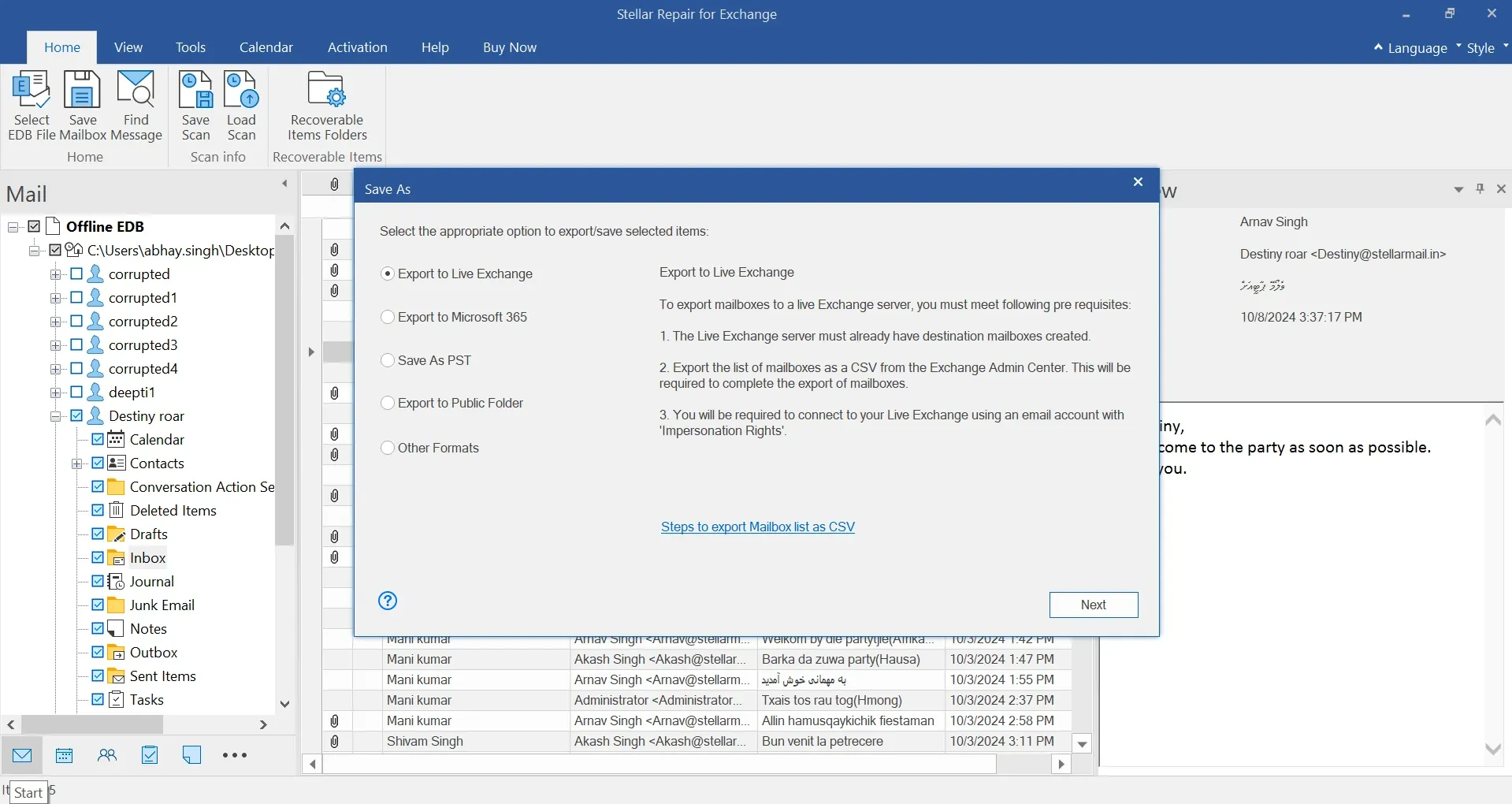
From here, your choices open up. You can:
- Export to PST
- Export to MSG, EML, HTML, RTF, PDF (single items)
- Export back to Exchange Server
- Export directly to Office 365
- Even push data into a Public Folder
For the lab I chose Export back to Exchange. One catch worth knowing about: Outlook has to be installed on the same machine as Stellar. In production you’d run this on a separate VM. Trust me on that one.
The recovery scope is wide. Stellar pulls back nearly everything a mailbox holds: emails and their attachments, contacts, calendars, tasks, notes, journals, even Public Folder content.
It covers Exchange Server versions all the way from 5.5 up through 2019.
WARNINGAs of this test (July 2025), Exchange 2019 CU15 was used. Support for newer versions, if released, should be verified with Stellar.
Rebuilding the Mailboxes
Over in the Exchange Admin Center:
- Disabled the broken mailboxes (so user accounts remain in AD)
- Created fresh mailboxes with
_restoredsuffix - Logged in to confirm: clean, empty
Back in Stellar:
- Right-click mailbox → Export to Exchange Server
- Provide Exchange server and credentials
- Click OK
Then repeat for every mailbox and let it sync.
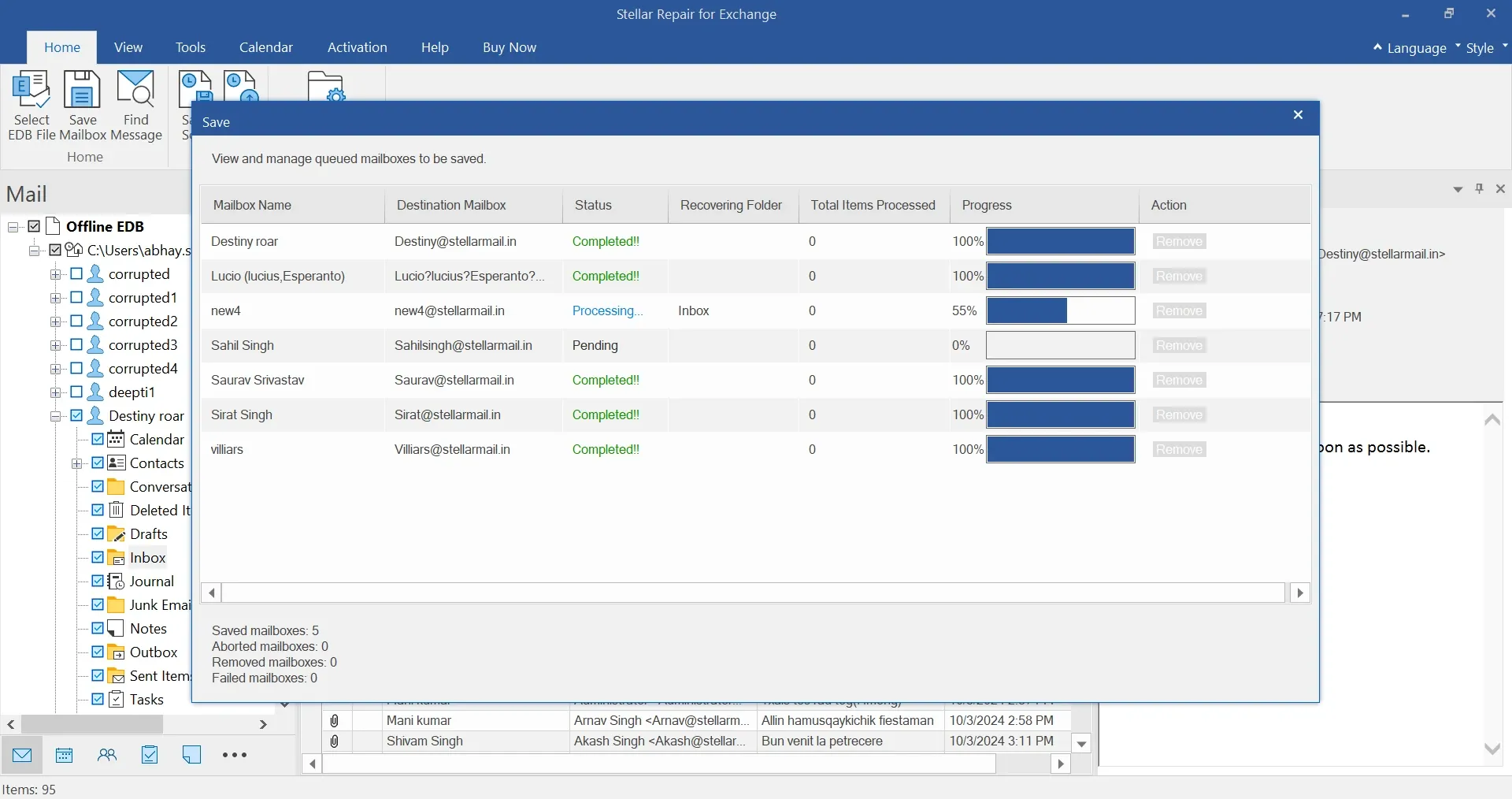
The Result
A few minutes later, all three mailboxes were back. Emails, calendar invites, everything sitting where it should.
This from a database that wouldn’t mount at all.
Key Takeaways
- Ease of use: Zero PowerShell gymnastics, just point and click
- Compatibility: Works with Exchange 5.5 up to 2019
- Recovery options: PST, Office 365, Public Folders - take your pick
- Safety net: When
eseutilleaves you stranded, this saves your bacon
Final Thoughts
This isn’t an ad. It’s the sober readout after I broke Exchange on purpose and watched what happened: Stellar Repair for Exchange works.
If you run Exchange servers and don’t keep something like this in your back pocket, you’re betting against downtime. That’s a bet you lose eventually.
My advice?
Build a lab. Break your own database. Run the recovery yourself and watch it come back. Far better to learn this on a quiet afternoon than at 3 AM on a Sunday.