340 words
2 min read

Install Ubuntu Server 22.04 LTS

By · Solutions Architect · Docker Captain · IBM Champion
Install Ubuntu Server 22.04 LTS

This article is for those looking for a detailed and straightforward guide on installing Ubuntu Server 22.04 LTS.

After booting from the Ubuntu Server 22.04 installation USB stick or DVD, begin by selecting the desired language for the welcome menu.

Select “English” and press “Enter”.
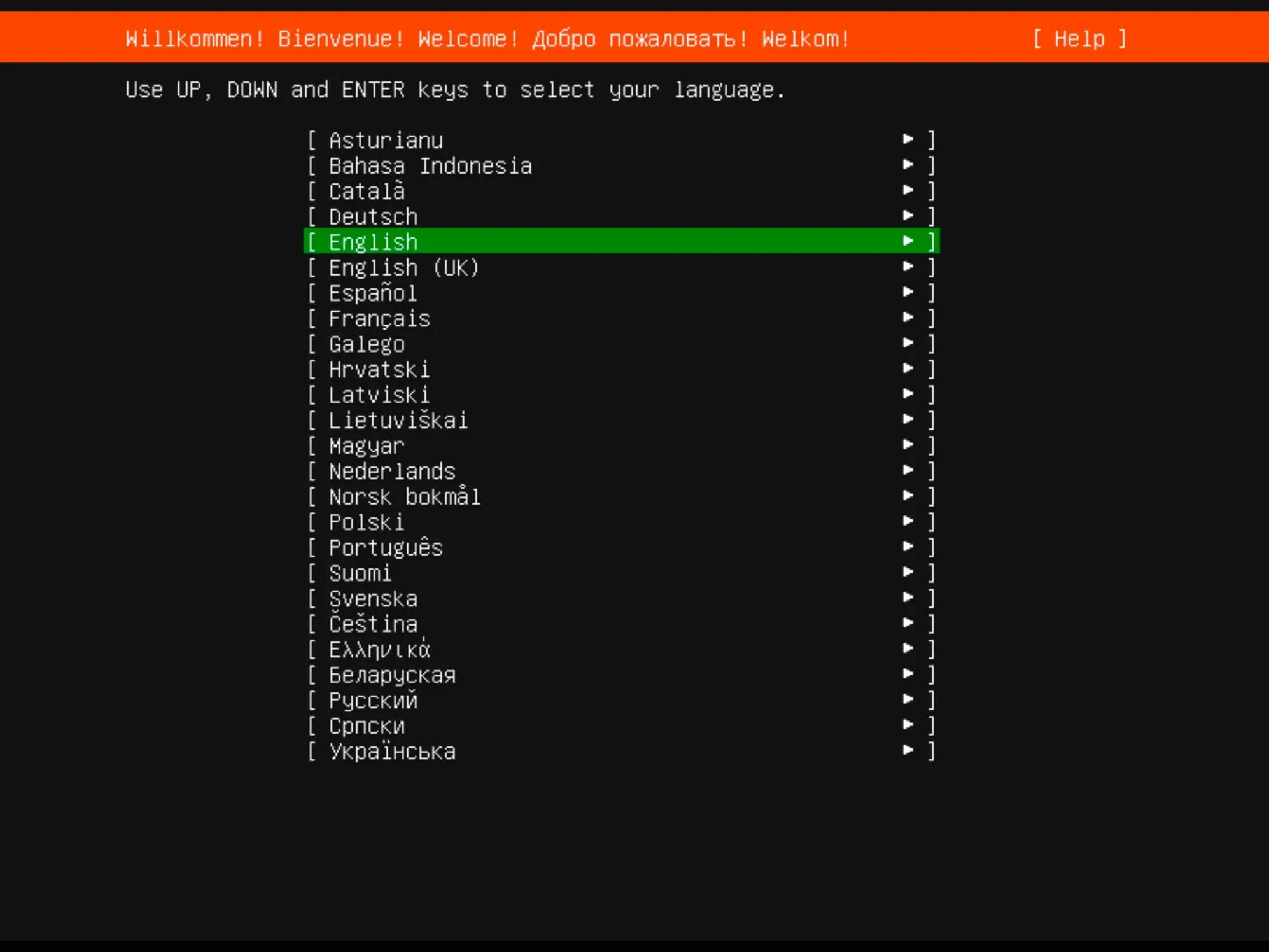
Install Ubuntu Server 22.04 LTS - Step 1

Next, you can choose a keyboard layout.

Select your desired keyboard layout and click “Done”.
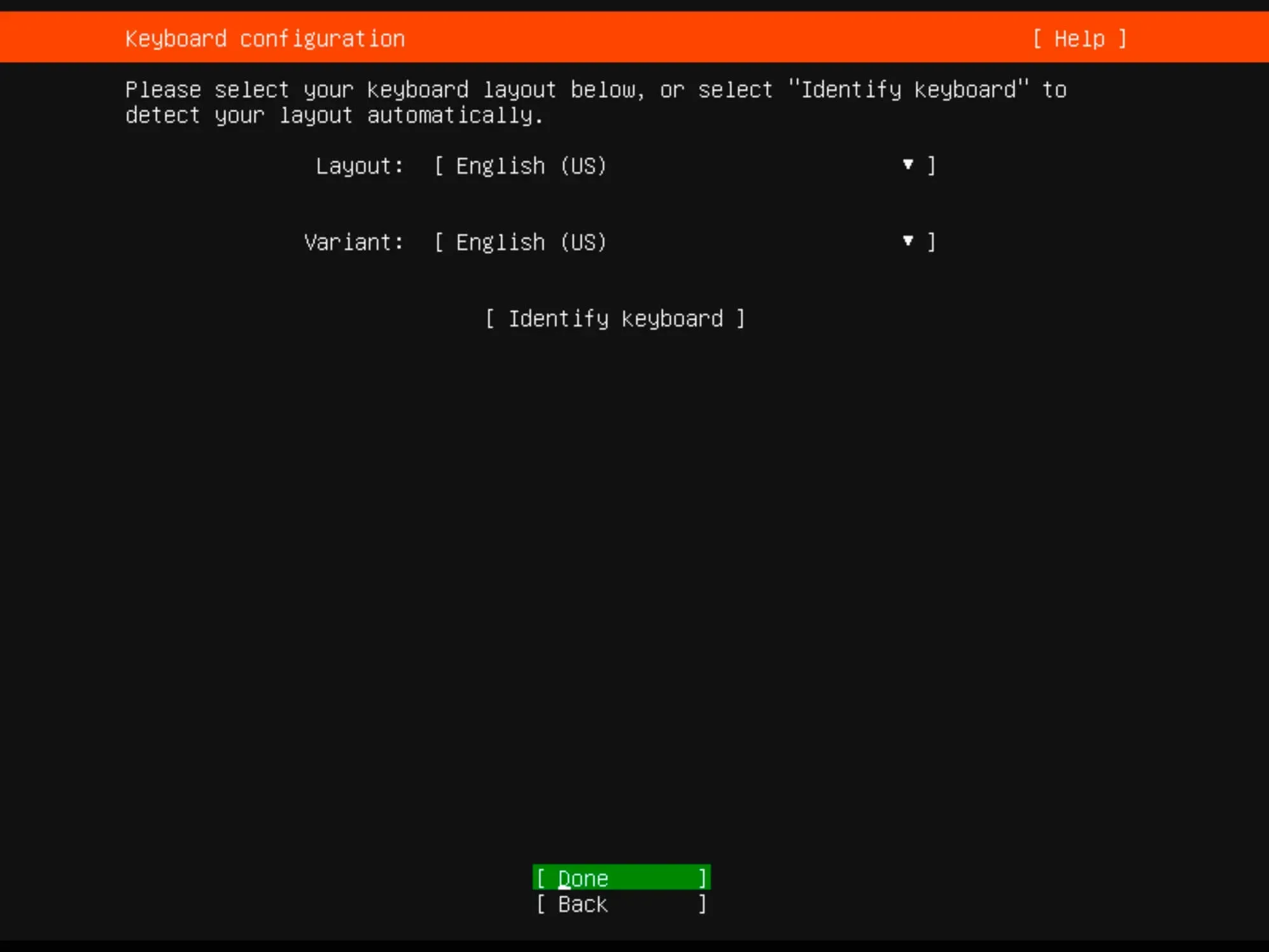
Install Ubuntu Server 22.04 LTS - Step 2

Now you need to specify the installation type.

Choose “Ubuntu Server” and click “Done”.
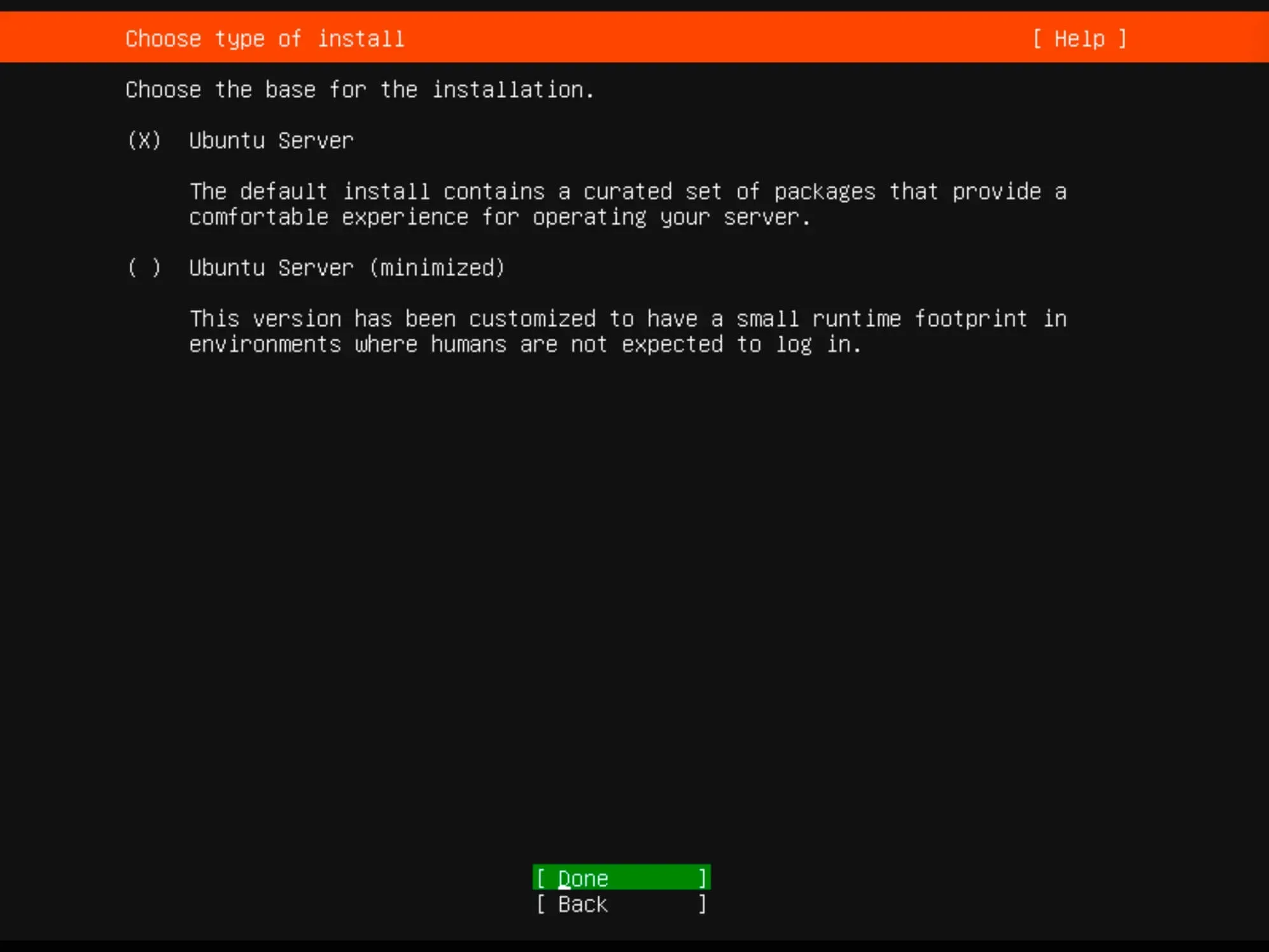
Install Ubuntu Server 22.04 LTS - Step 3

The installer will try to retrieve network settings using DHCP. You can adjust the IP address now or later.

Click “Done”.
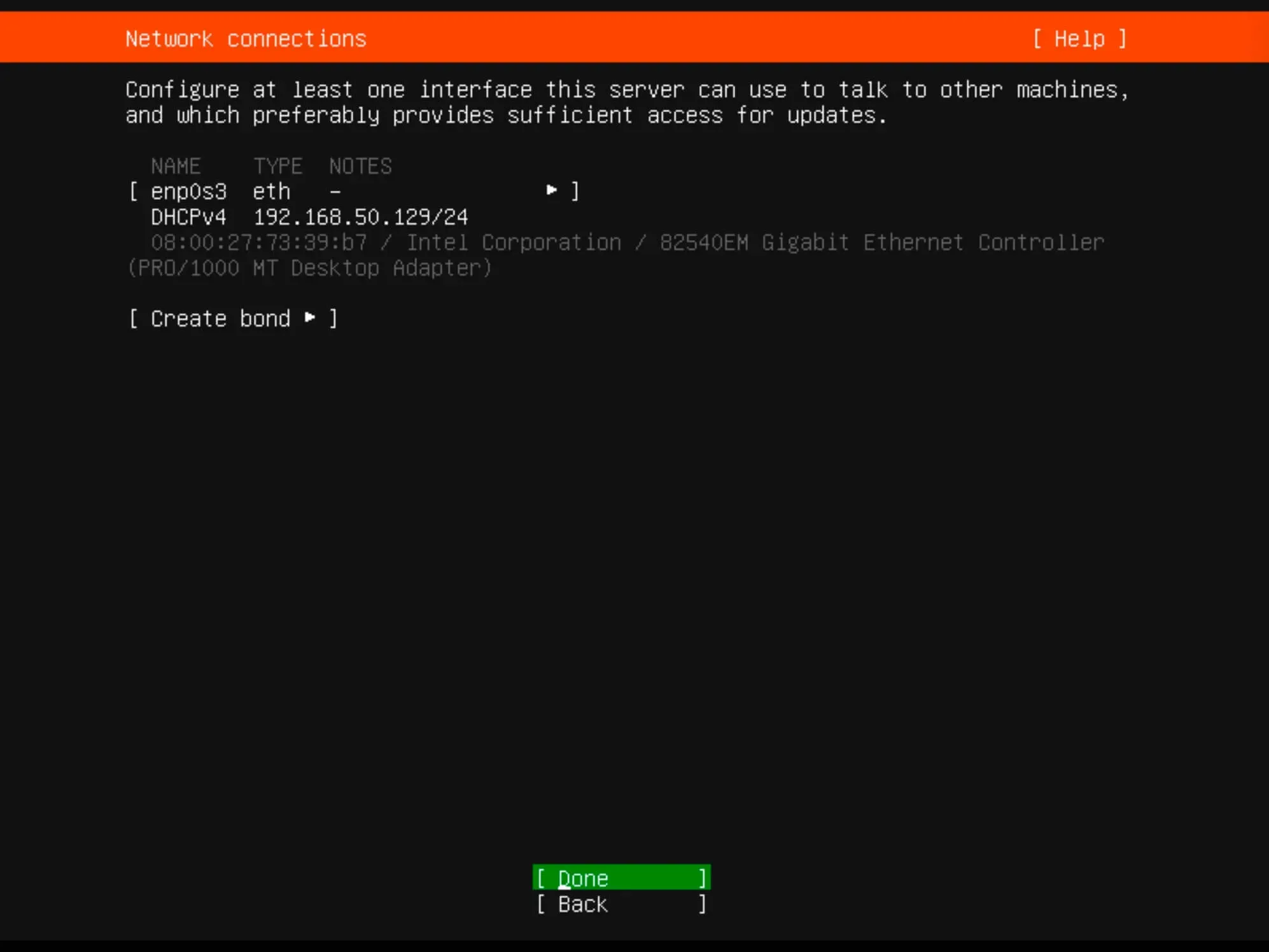
Install Ubuntu Server 22.04 LTS - Step 4

For proxy settings, we’ll skip this step in our guide.

Simply click “Done”.
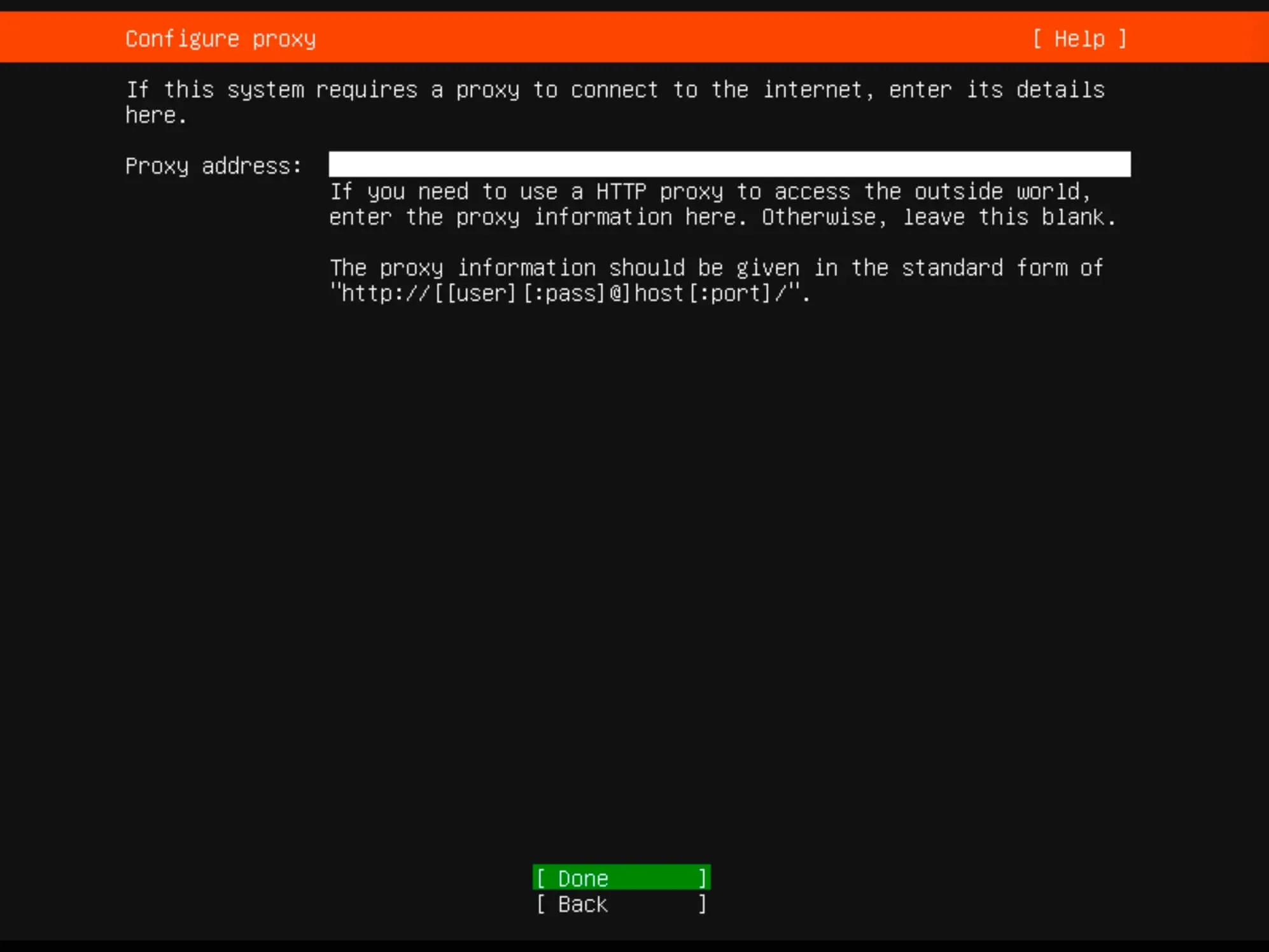
Install Ubuntu Server 22.04 LTS - Step 5

You can specify an alternate mirror address if necessary.

For this guide, leave it as default and click “Done”.
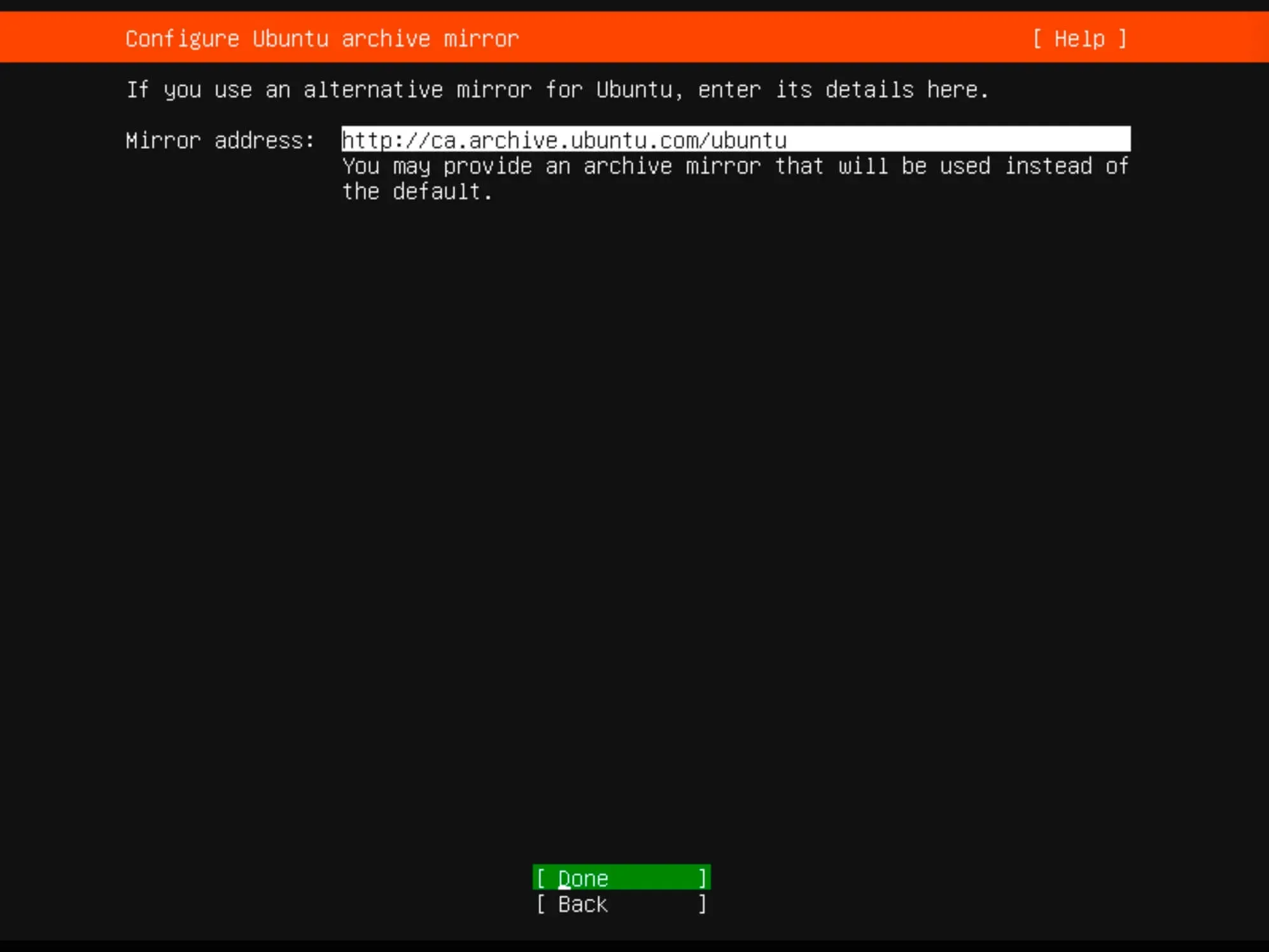
Install Ubuntu Server 22.04 LTS - Step 6

Determine the installation location. All available space will be utilized.

Choose “Use an entire disk” and then select “Set up this disk as an LVM group”.

Click “Done”.
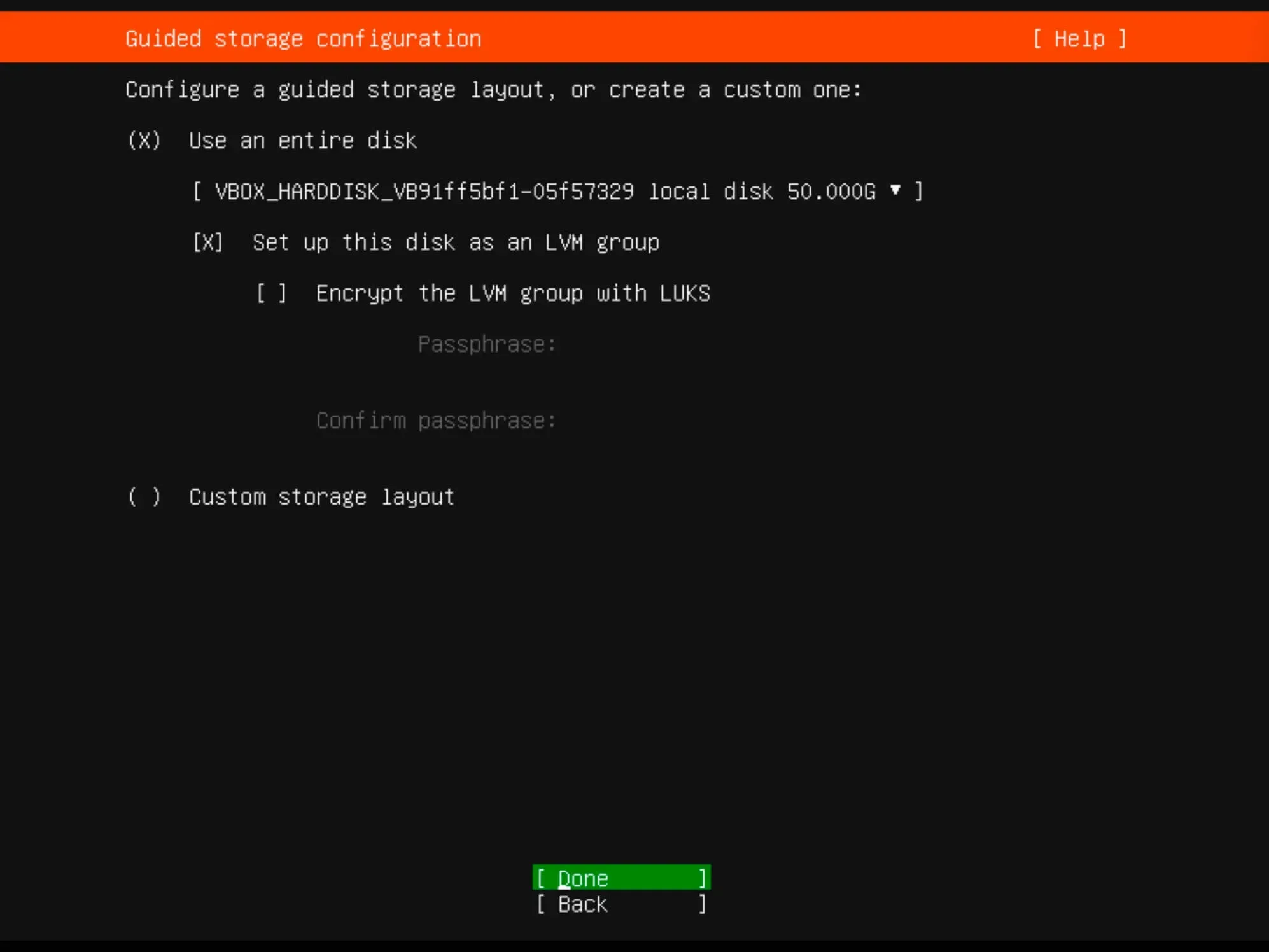
Install Ubuntu Server 22.04 LTS - Step 7

Verify the partitions and click “Done”.
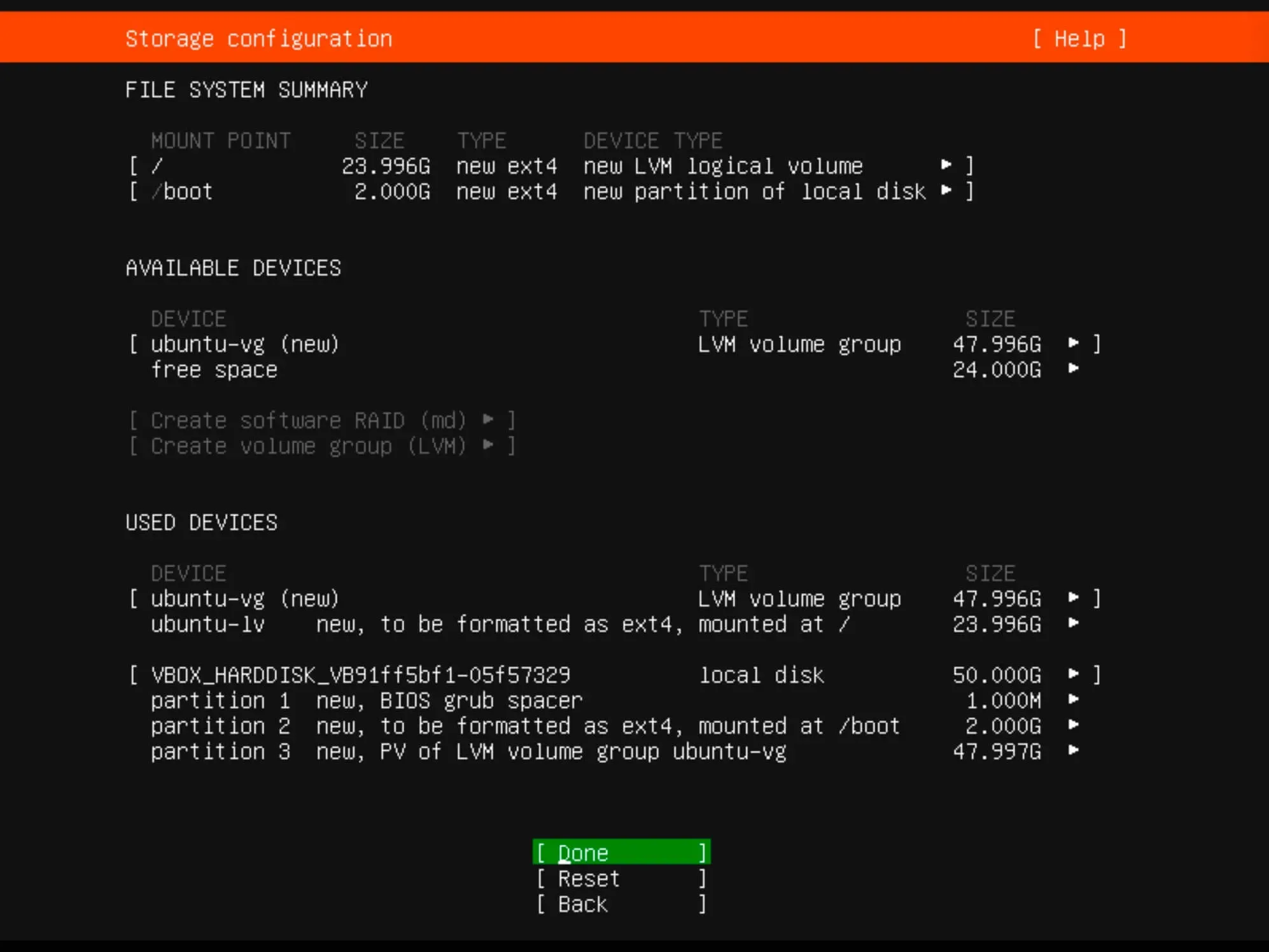
Install Ubuntu Server 22.04 LTS - Step 8

Now you need to confirm your changes.

To continue, click “Continue” and press “Enter”.
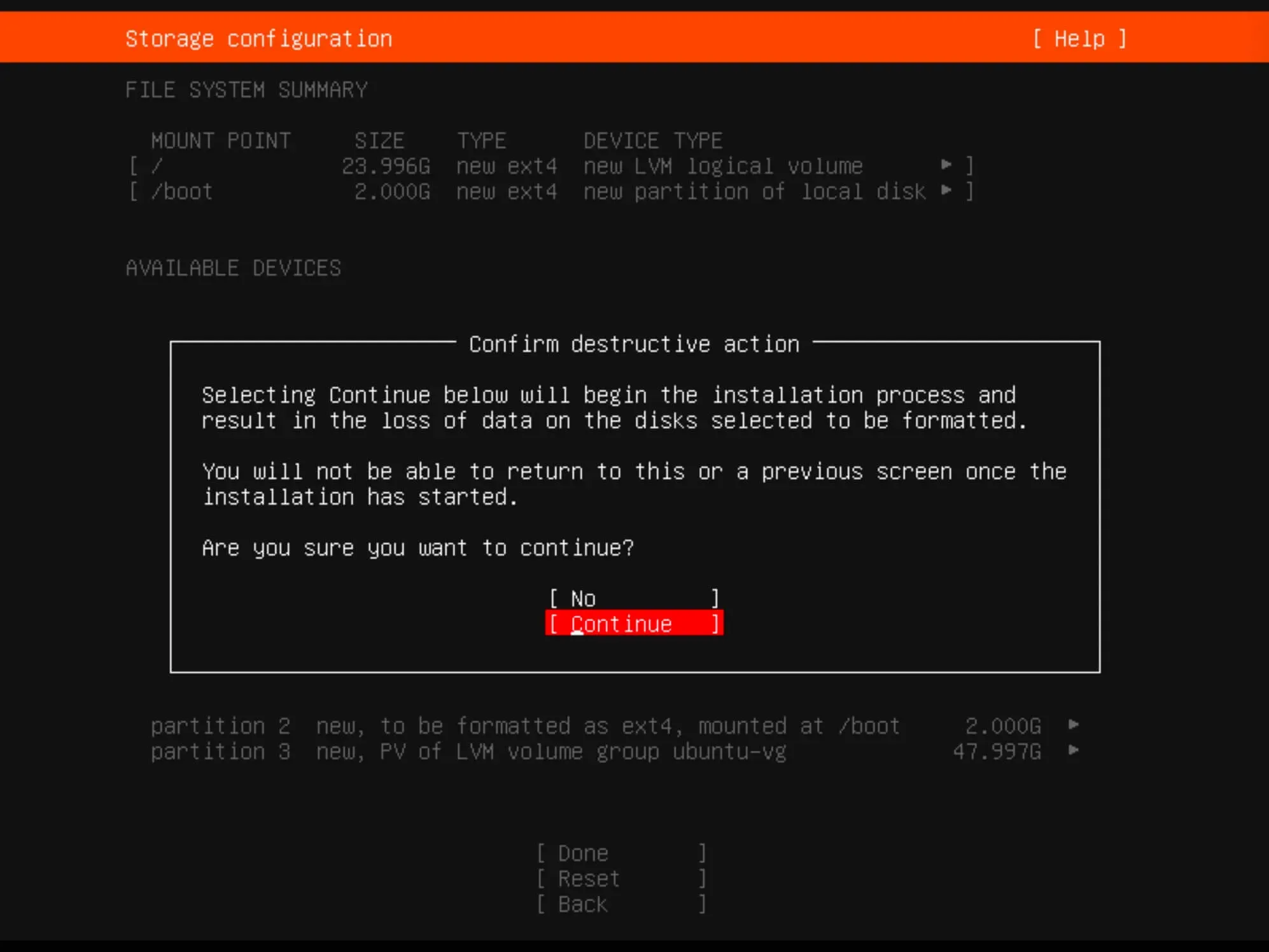
Install Ubuntu Server 22.04 LTS - Step 9

Provide the full username, server name, login, and password.

Click “Done”.
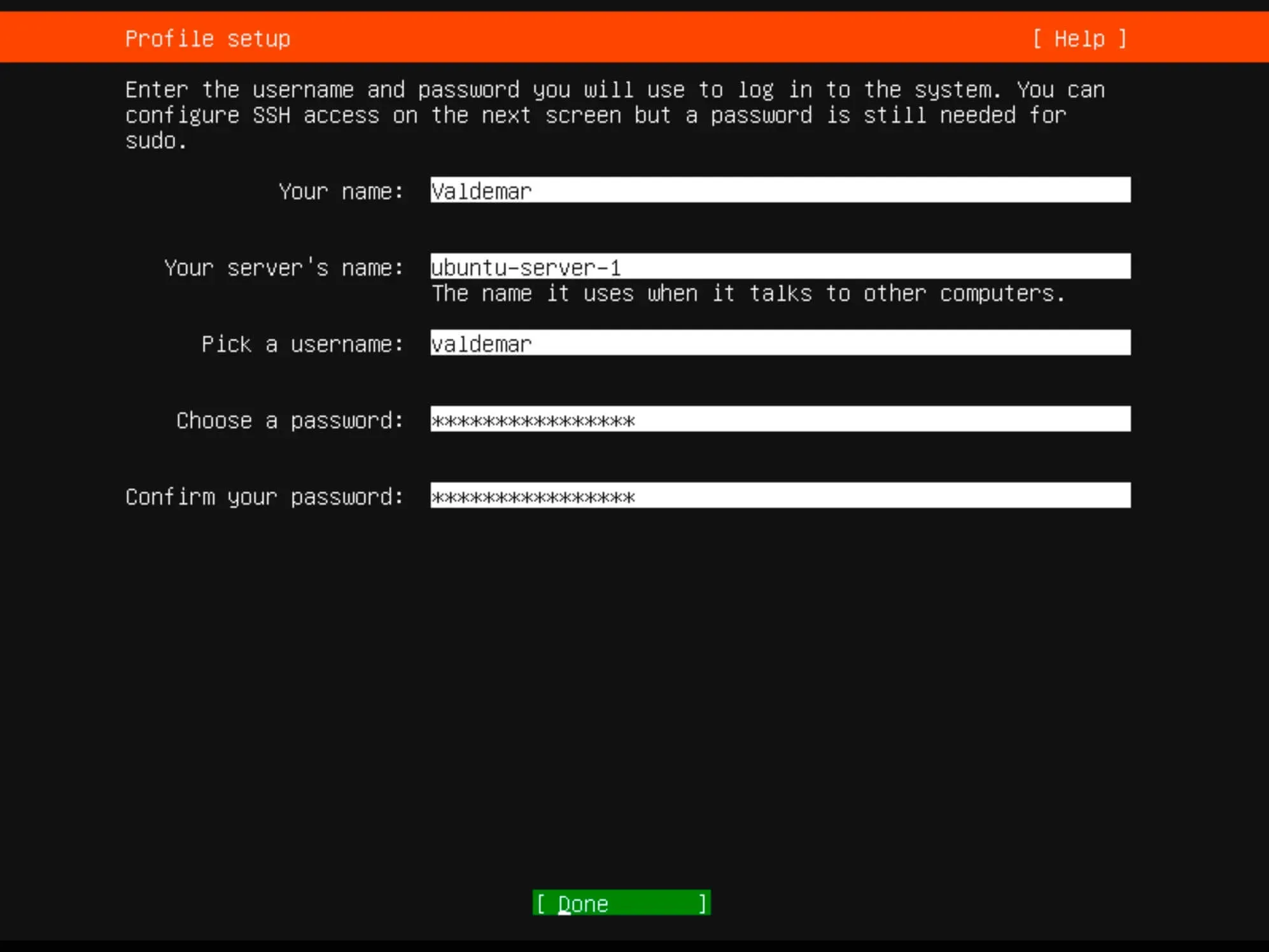
Install Ubuntu Server 22.04 LTS - Step 10

If you plan to use SSH, choose “Install OpenSSH server”.

Optionally, you can import SSH keys from Launchpad or Github.

Click “Done”.
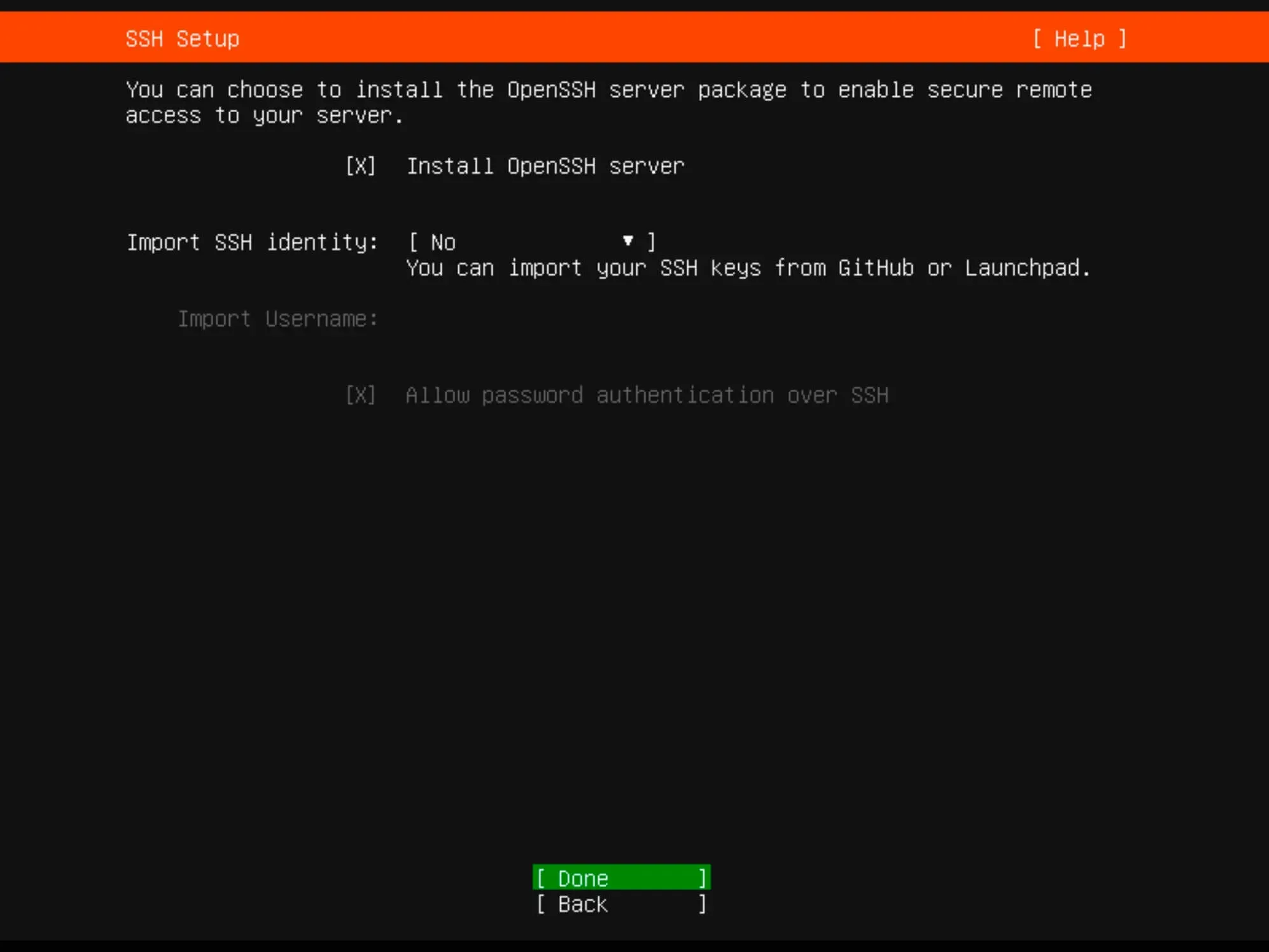
Install Ubuntu Server 22.04 LTS - Step 11

Select any other desired services or components.

Click “Done”.
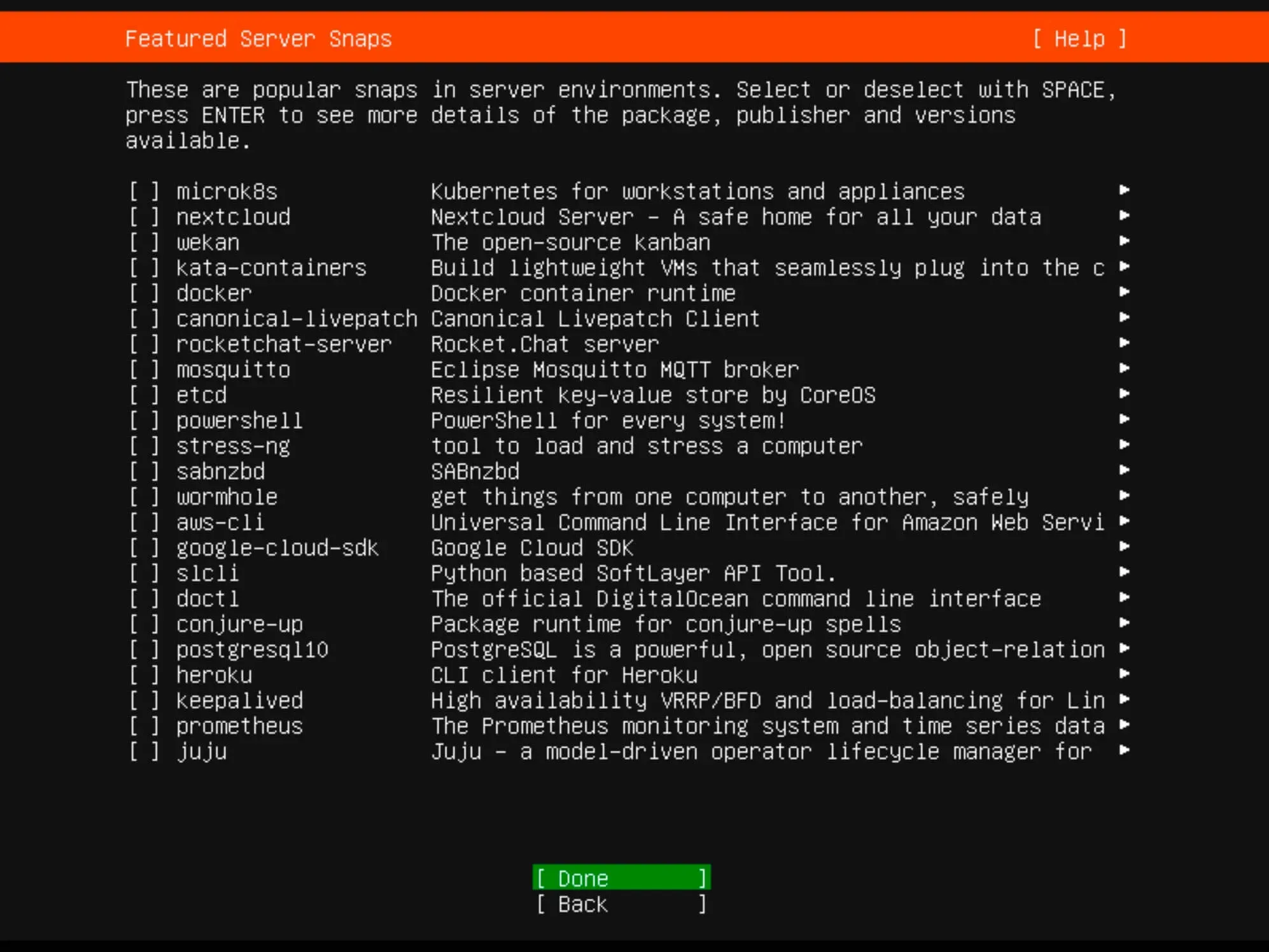
Install Ubuntu Server 22.04 LTS - Step 12

Monitor the installation progress until completion.
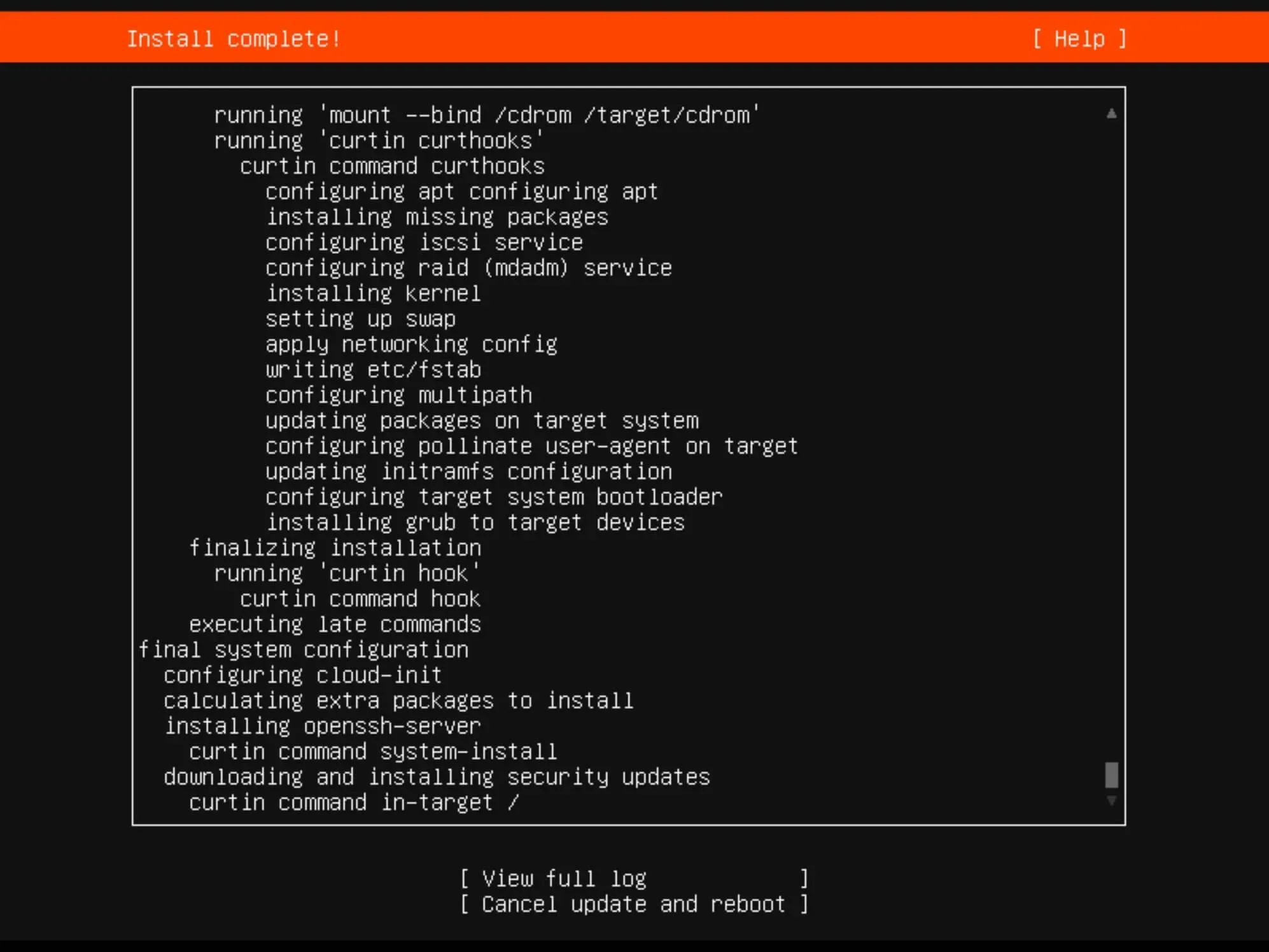
Install Ubuntu Server 22.04 LTS - Step 13

Once the installation is complete, click “Reboot”.
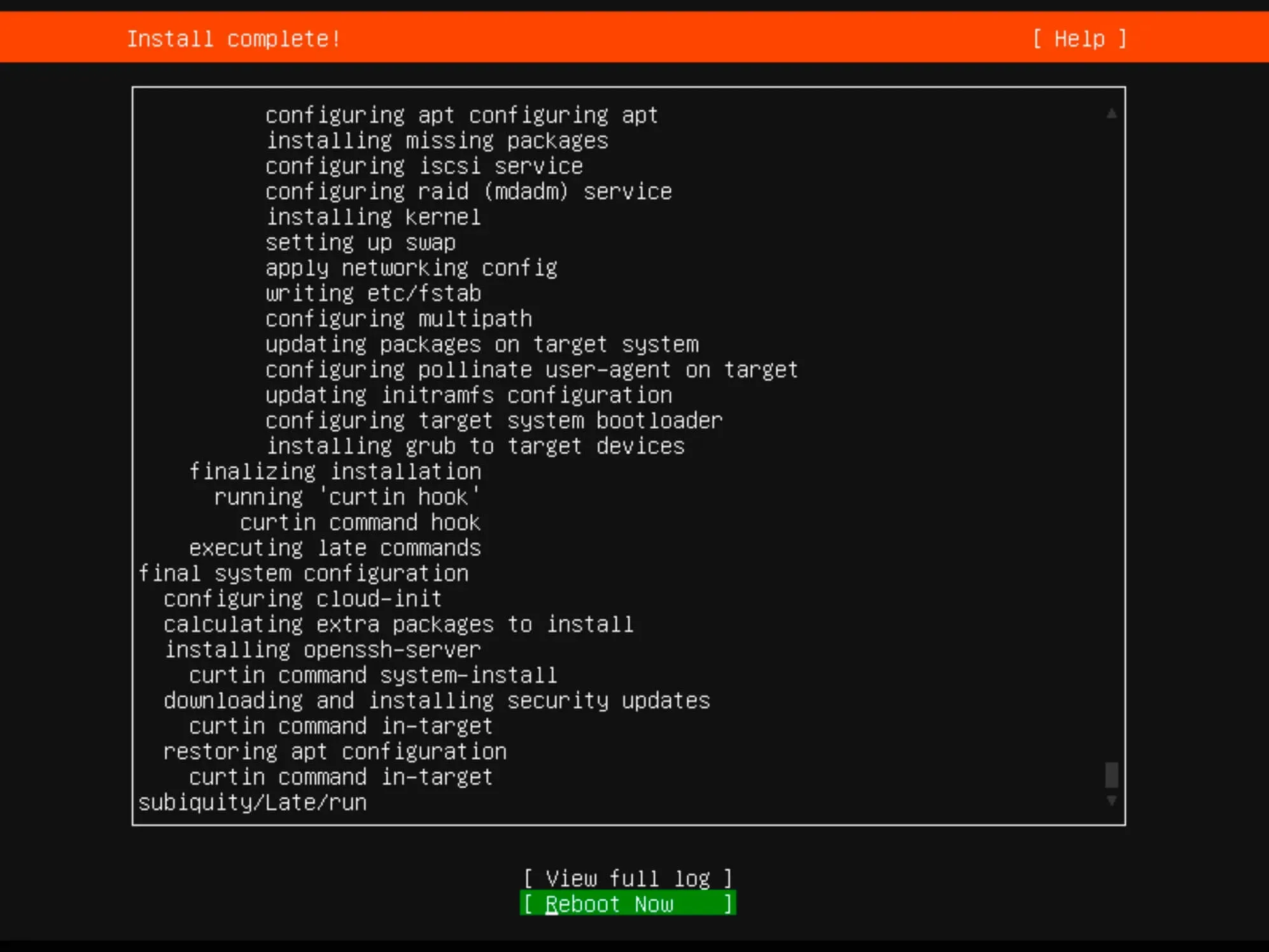
Install Ubuntu Server 22.04 LTS - Step 14

Remove the installation media.

Finally, enter the username and password you set up earlier during the installation for authentication.
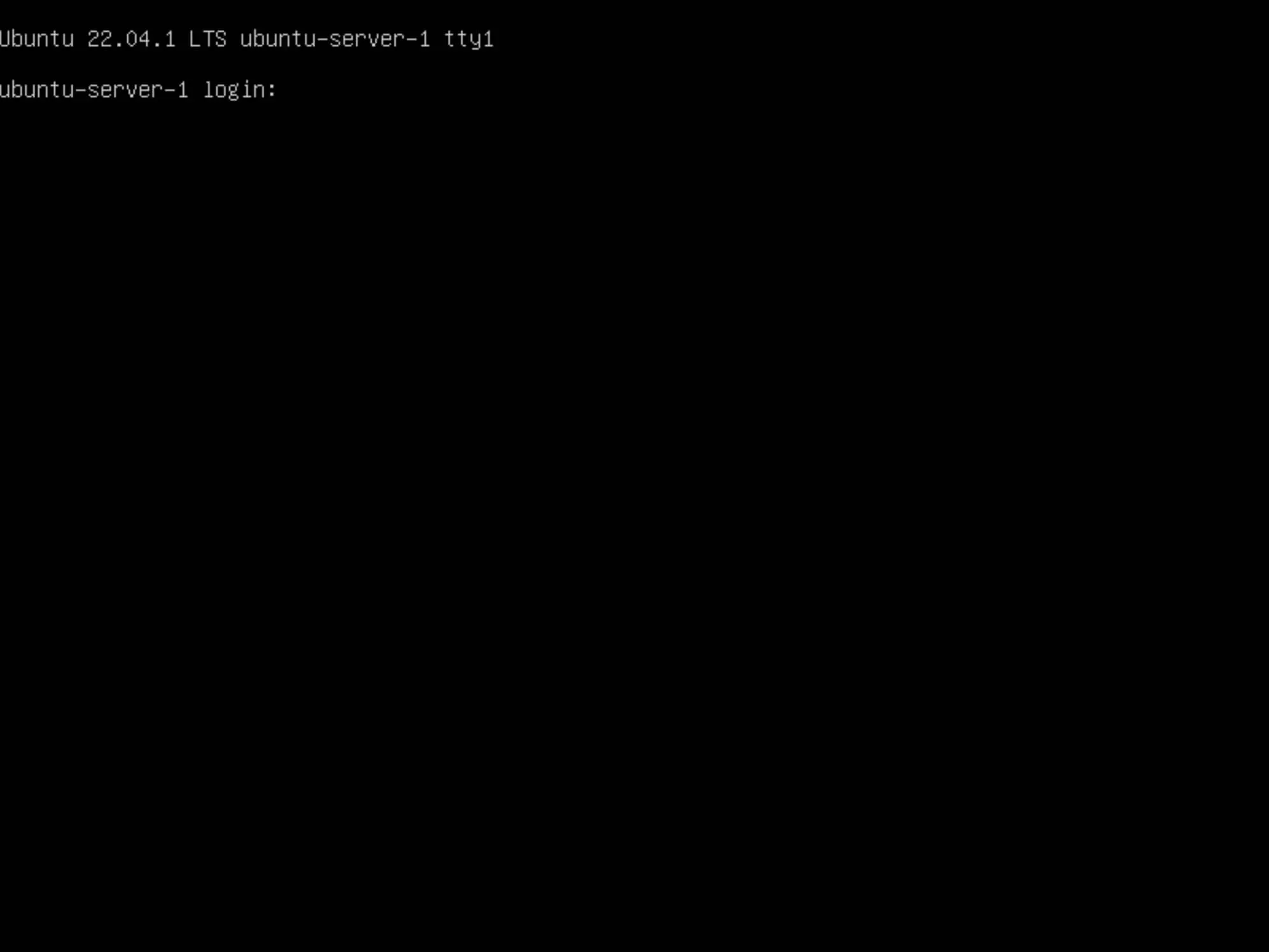
Install Ubuntu Server 22.04 LTS - Step 15


Vladimir Mikhalev

Docker Captain  ·  IBM Champion  ·  AWS Community Builder

The Verdict — production-tested analysis on YouTube.

Related Posts

Same category
  1. 1
    Recovering a Corrupt Exchange Database with Stellar Repair — Real-World Lab Test
    SysAdmin & IT Pro · We deliberately broke an Exchange 2019 server to see if Stellar Repair for Exchange could recover a dirty-shutdown EDB file. Step-by-step recovery process, lab setup, and lessons learned.
  2. 2
    Distinctions Between Terminal, Command Line, Shell, and Prompt
    SysAdmin & IT Pro · Learn the differences between terminal, command line, shell, and prompt in Linux. A beginner-friendly guide to essential CLI concepts and tools.
  3. 3
    Install OTRS on Ubuntu Server
    SysAdmin & IT Pro · Comprehensive guide to installing OTRS Community Edition on Ubuntu Server. Learn to configure PostgreSQL, Apache, SSL with Let's Encrypt, and launch OTRS securely.
  4. 4
    Install Foreman on Ubuntu Server
    SysAdmin & IT Pro · Learn how to install Foreman on Ubuntu Server to manage, provision, and monitor infrastructure with Puppet integration in a few simple steps.

Random Posts

Random
  1. 1
    Install XWiki with Docker Compose
    Self-Hosting · Step-by-step guide to install XWiki using Docker Compose with Traefik, Let's Encrypt, and PostgreSQL on Ubuntu Server. Perfect for self-hosted wikis.
  2. 2
    Create an Offline Address Book in Exchange Server 2013
    SysAdmin & IT Pro · Learn how to create and configure an offline address book (OAB) in Exchange Server 2013 using PowerShell and the Exchange Admin Center.
  3. 3
    Install Windows Server 2019 Server Core
    SysAdmin & IT Pro · Step-by-step guide to install Windows Server 2019 Server Core. Learn how to set up a minimal, secure, and efficient Windows Server environment.
  4. 4
    What is DevOps?
    DevOps & Cloud · What is DevOps? Learn how it unites developers and IT with CI/CD, automation, and collaboration to ship software faster and more reliably.
Install Ubuntu Server 22.04 LTS
https://heyvaldemar.com/install-ubuntu-server-22-04-lts/
Author
Vladimir Mikhalev
Published
2022-09-08
License
CC BY-NC-SA 4.0