162 words
1 min read

Install Minecraft on Windows

By · Solutions Architect · Docker Captain · IBM Champion
Install Minecraft on Windows

This article is for those looking for a detailed and straightforward guide on installing Minecraft on Windows.

If you’ve purchased a license, you can begin downloading and installing the game. Visit the Minecraft download page and click the “Download” button under the “Download Minecraft: Java Edition for Windows” section.
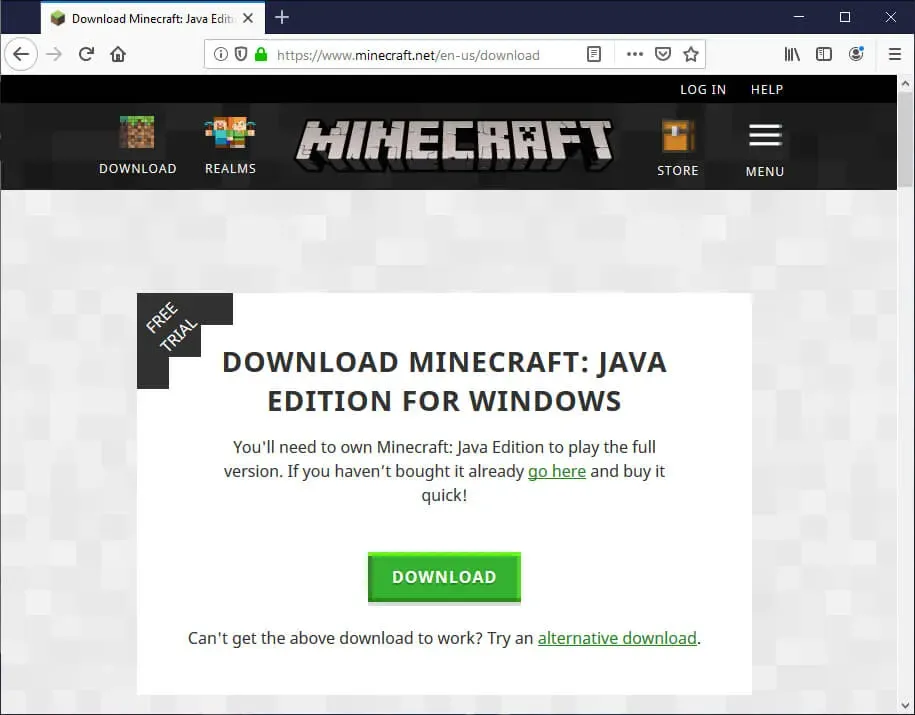
Install Minecraft on Windows - Step 1

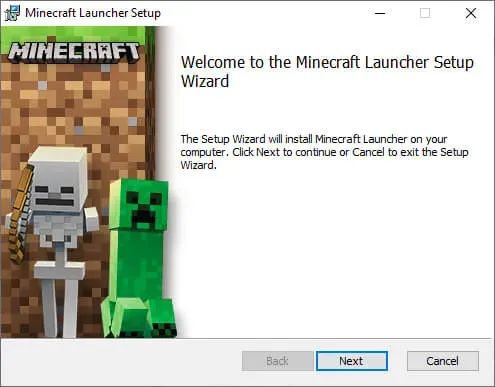
Go to “Downloads” and run “MinecraftInstaller.msi”.
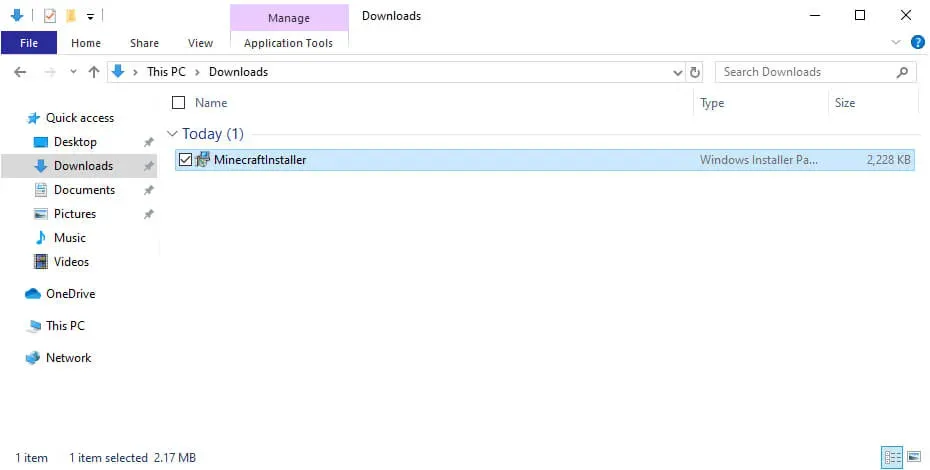
Install Minecraft on Windows - Step 2

Click on the “Next” button.

Install Minecraft on Windows - Step 3

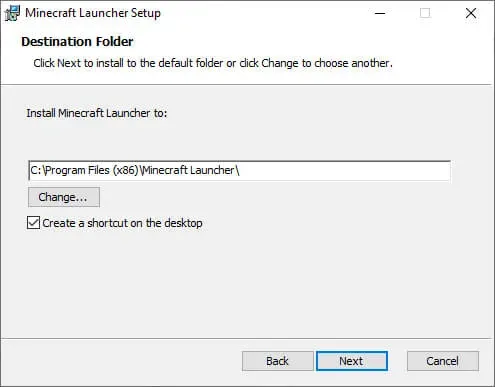
Next, you can choose where to install Minecraft.

Click on the “Next” button.
Install Minecraft on Windows - Step 4

You can begin the Minecraft installation process.

Click on the “Install” button.
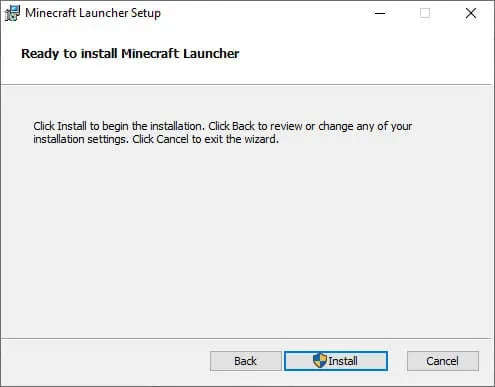
Install Minecraft on Windows - Step 5

Minecraft installation completed successfully.

Check the box “Start Minecraft after closing the installer” and click on the “Finish” button.
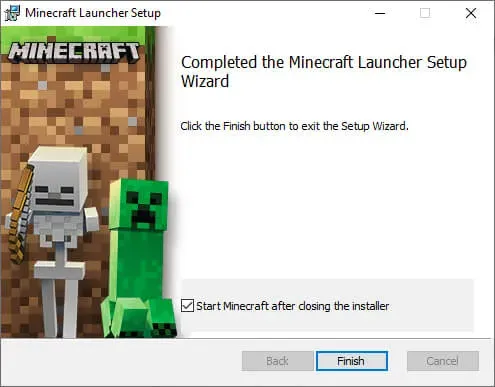
Install Minecraft on Windows - Step 6

Click on the “Login” button.

I wish you all a pleasant game!
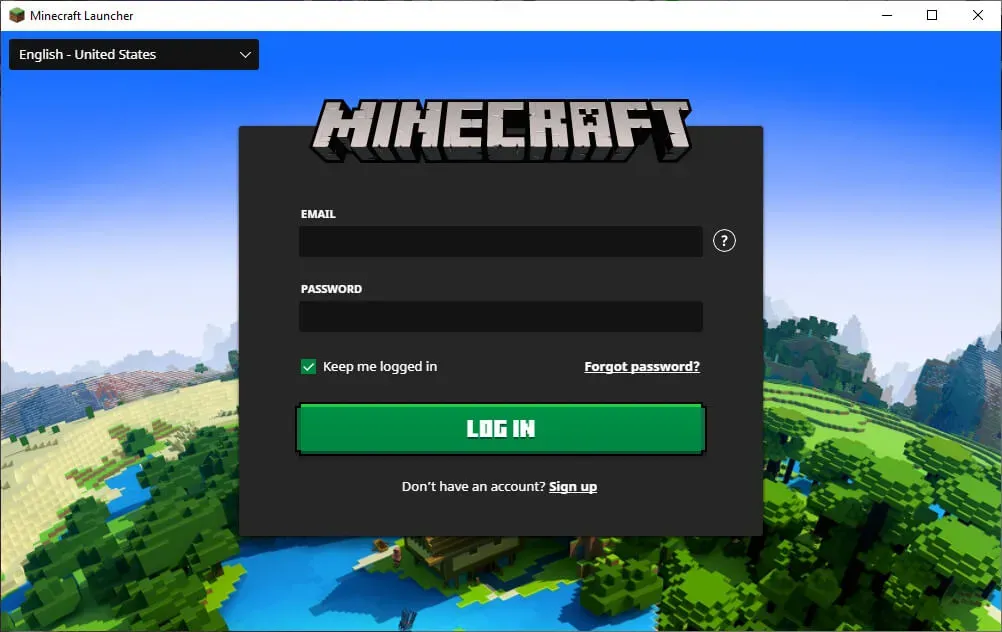
Install Minecraft on Windows - Step 7


Vladimir Mikhalev

Docker Captain  ·  IBM Champion  ·  AWS Community Builder

The Verdict — production-tested analysis on YouTube.

Related Posts

Same category
  1. 1
    Recovering a Corrupt Exchange Database with Stellar Repair — Real-World Lab Test
    SysAdmin & IT Pro · We deliberately broke an Exchange 2019 server to see if Stellar Repair for Exchange could recover a dirty-shutdown EDB file. Step-by-step recovery process, lab setup, and lessons learned.
  2. 2
    Distinctions Between Terminal, Command Line, Shell, and Prompt
    SysAdmin & IT Pro · Learn the differences between terminal, command line, shell, and prompt in Linux. A beginner-friendly guide to essential CLI concepts and tools.
  3. 3
    Install Ubuntu Server 22.04 LTS
    SysAdmin & IT Pro · Step-by-step guide to install Ubuntu Server 22.04 LTS. Covers language, disk setup, OpenSSH, user creation, and system configuration for beginners.
  4. 4
    Install OTRS on Ubuntu Server
    SysAdmin & IT Pro · Comprehensive guide to installing OTRS Community Edition on Ubuntu Server. Learn to configure PostgreSQL, Apache, SSL with Let's Encrypt, and launch OTRS securely.

Random Posts

Random
  1. 1
    Configure Exchange Server 2019
    SysAdmin & IT Pro · Learn how to configure Exchange Server 2019 with step-by-step instructions for mailbox databases, DNS records, certificates, send connectors, and more.
  2. 2
    Install Gitea Using Docker Compose
    Self-Hosting · Learn how to install Gitea using Docker Compose and Traefik with free SSL from Let's Encrypt. Self-host your Git service with secure Git over SSH.
  3. 3
    Install Wiki.js with Docker Compose
    Self-Hosting · Step-by-step guide to install Wiki.js with Docker Compose on Ubuntu using Traefik, Let's Encrypt, and PostgreSQL. Secure setup with SSH and HTTPS.
  4. 4
    Platform Engineering — The Complete, Practical Guide to Building Internal Developer Platforms That Scale
    DevOps & Cloud · A deep, practical guide to Platform Engineering. Learn how to build internal developer platforms, golden paths, GitOps workflows, and scalable cloud foundations.
Install Minecraft on Windows
https://heyvaldemar.com/install-minecraft-on-windows/
Author
Vladimir Mikhalev
Published
2019-07-19
License
CC BY-NC-SA 4.0