Minimize Programs on Windows 10 Startup
By Vladimir Mikhalev · Solutions Architect · Docker Captain · IBM Champion
This article is for those looking for a detailed and clear guide on how to minimize programs on Windows 10 startup.
NOTEFor this example, we will be working with Microsoft Edge.
Right-click on the shortcut of the program that you want to automatically launch when the system boots, then select “Copy”.
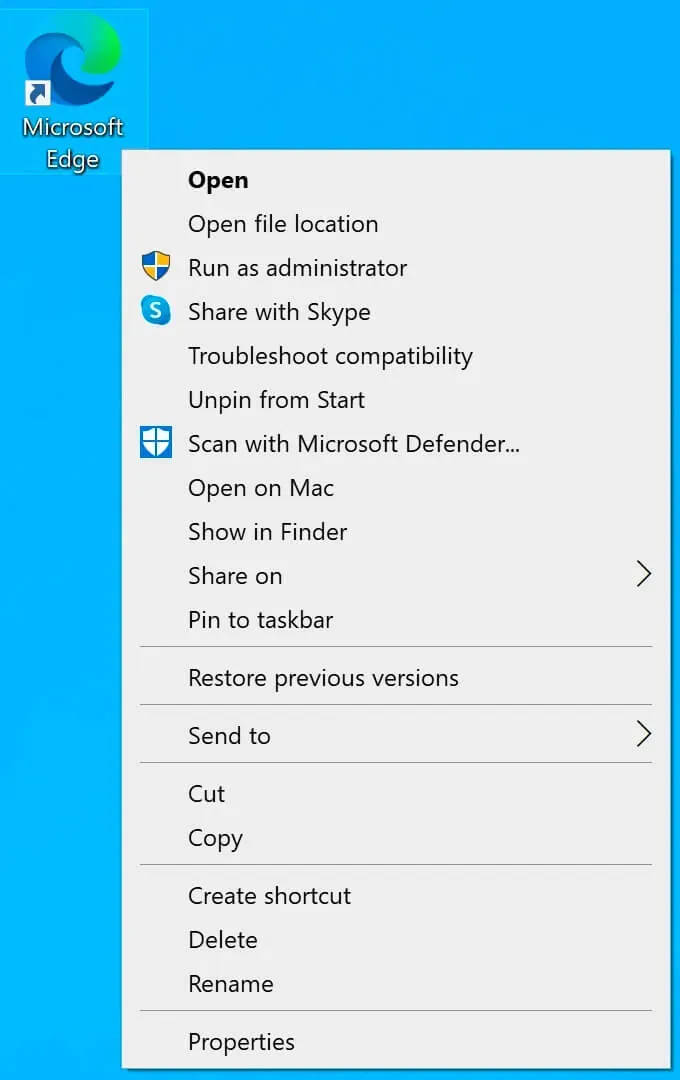
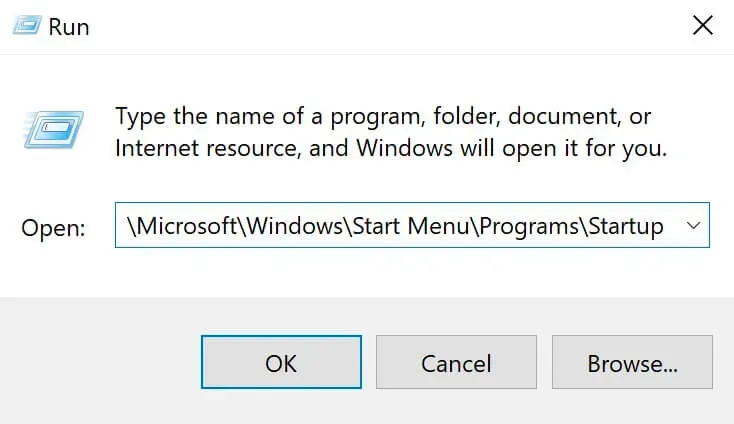
On the keyboard, press the key combination “Win” and “r”, then enter:
%USERPROFILE%\AppData\Roaming\Microsoft\Windows\Start Menu\Programs\StartupNOTEIf you want the program to automatically start for all users, then you must enter:
C:\ProgramData\Microsoft\Windows\Start Menu\Programs\StartUpClick on the “OK” button.
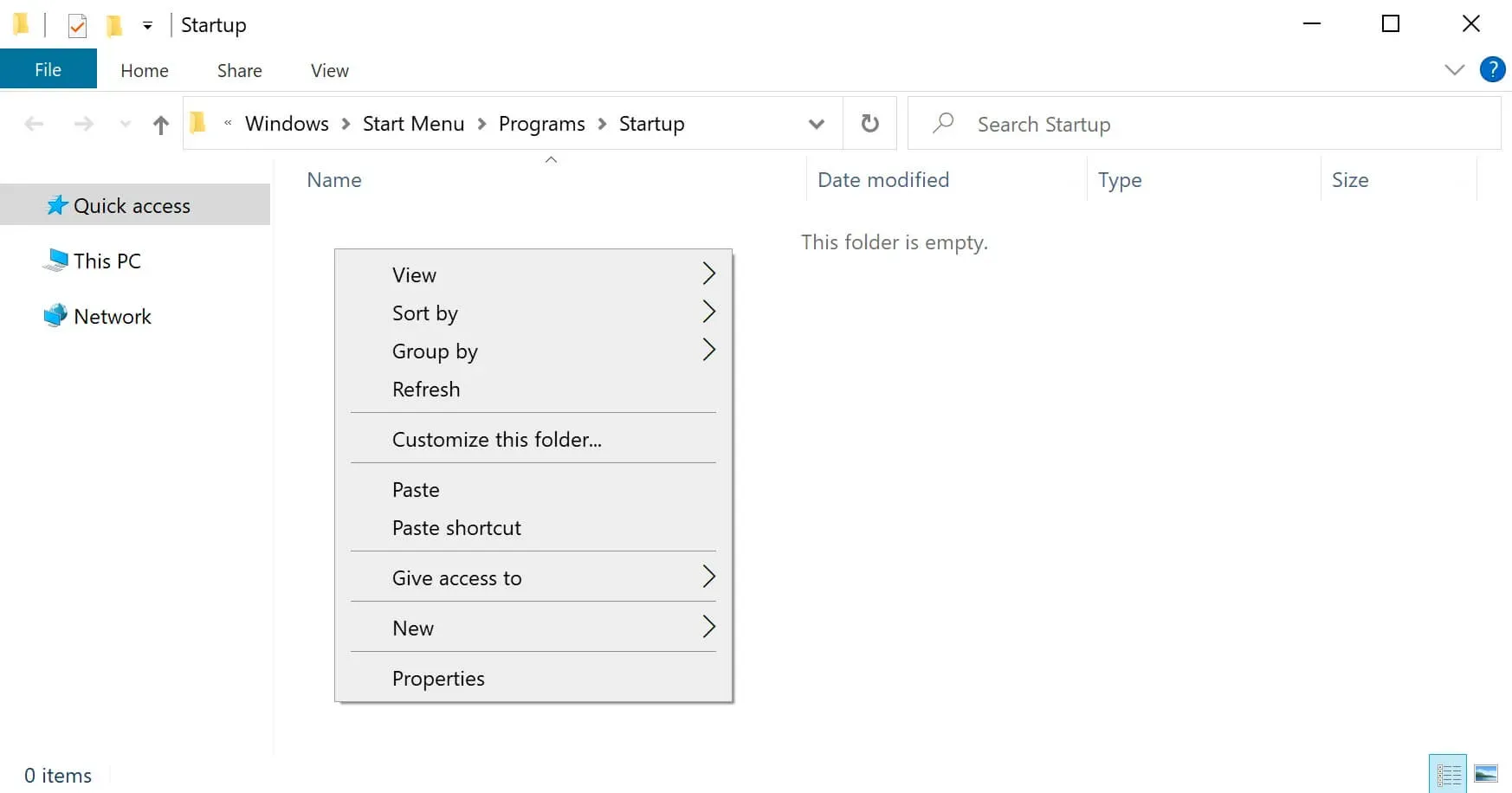
Right-click on an empty space in the folder and select “Paste”.
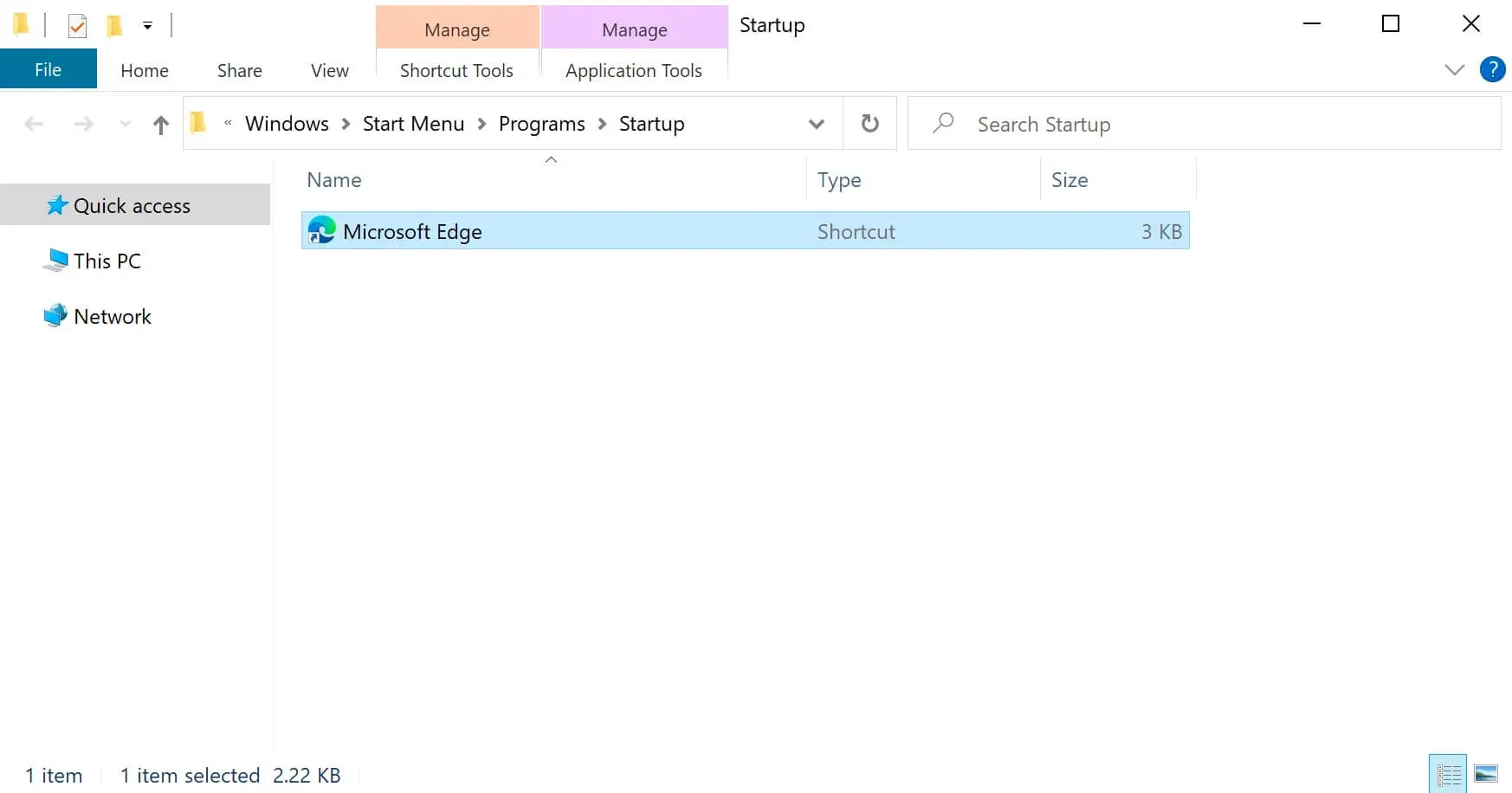
Now the specified program will automatically start at system boot, and the program window will appear on top of the Windows desktop. This is not very convenient, so we will make the program run minimized.
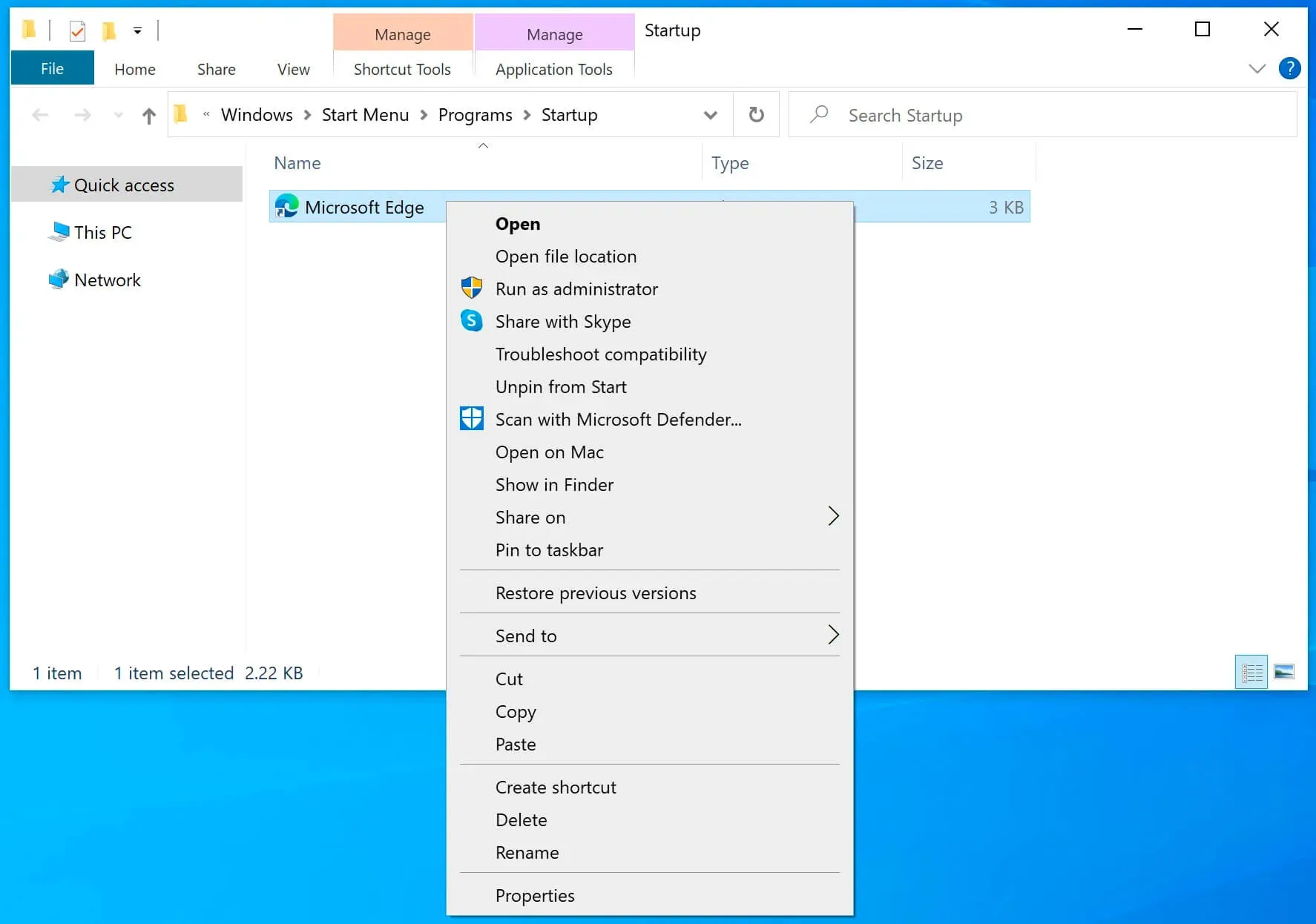
Select the desired program shortcut and click on it with the right mouse button, then select “Properties”.
In order for Microsoft Edge to start minimized, you must select “Minimized” in the “Run” section.
Click on the “OK” button.
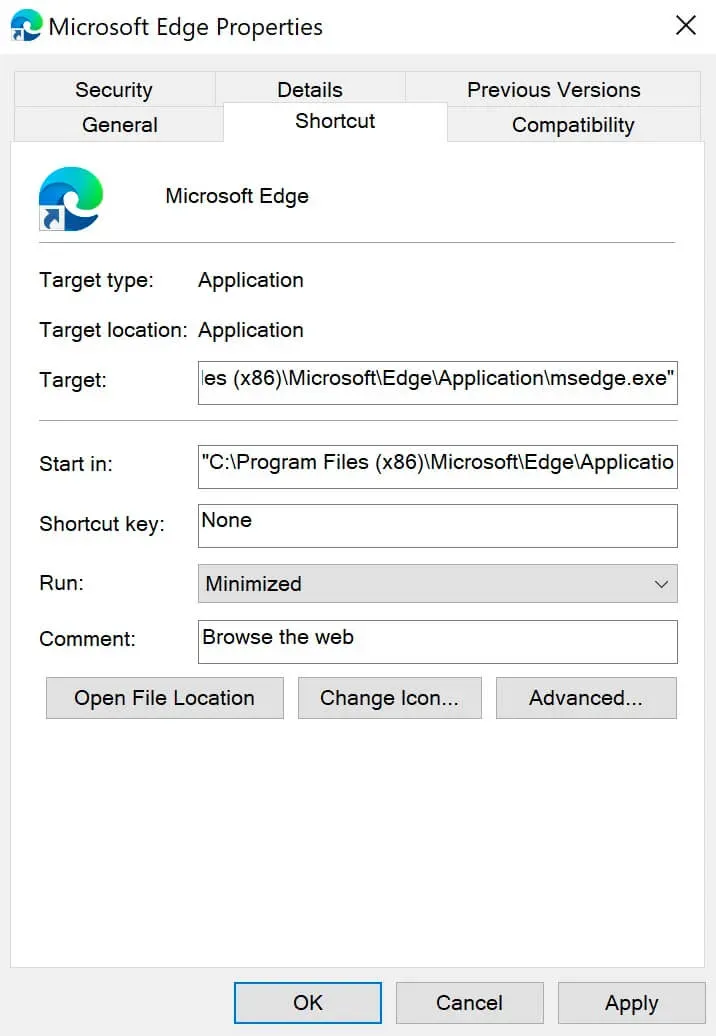
Microsoft Edge will now automatically launch minimized when Windows boots up and thus won’t get in the way by appearing on top of the desktop.
Related Posts
- 1Recovering a Corrupt Exchange Database with Stellar Repair — Real-World Lab TestSysAdmin & IT Pro · We deliberately broke an Exchange 2019 server to see if Stellar Repair for Exchange could recover a dirty-shutdown EDB file. Step-by-step recovery process, lab setup, and lessons learned.
- 2Distinctions Between Terminal, Command Line, Shell, and PromptSysAdmin & IT Pro · Learn the differences between terminal, command line, shell, and prompt in Linux. A beginner-friendly guide to essential CLI concepts and tools.
- 3Install Ubuntu Server 22.04 LTSSysAdmin & IT Pro · Step-by-step guide to install Ubuntu Server 22.04 LTS. Covers language, disk setup, OpenSSH, user creation, and system configuration for beginners.
- 4Install OTRS on Ubuntu ServerSysAdmin & IT Pro · Comprehensive guide to installing OTRS Community Edition on Ubuntu Server. Learn to configure PostgreSQL, Apache, SSL with Let's Encrypt, and launch OTRS securely.
Random Posts
- 1Transforming Development with Docker Compose WatchDevOps & Cloud · Boost your dev workflow with Docker Compose's watch feature. Auto-sync or rebuild services on file changes for faster, hands-free local development.
- 2Disable Server Manager Autostart in Windows Server 2019SysAdmin & IT Pro · Learn how to disable Server Manager autostart in Windows Server 2019 using Server Manager settings, Task Scheduler, CMD, and PowerShell.
- 3GitOps on AWS — Real-World DevOps Pipeline with Argo CD, Terraform & EKSDevOps & Cloud · Learn how to build a production-grade GitOps pipeline on AWS using EKS, Argo CD, Terraform, Vault, and GitHub Actions. Real-world architecture. No buzzwords — just systems that scale.
- 4Install eksctl on macOSDevOps & Cloud · Learn how to install eksctl on macOS using Homebrew. Step-by-step tutorial to set up eksctl for managing Kubernetes clusters on AWS EKS.